Alerts
Alerts notify you when an instrument's price crosses a level you set. You can create them from the Alerts panel or directly on a chart, and manage them all in one list.
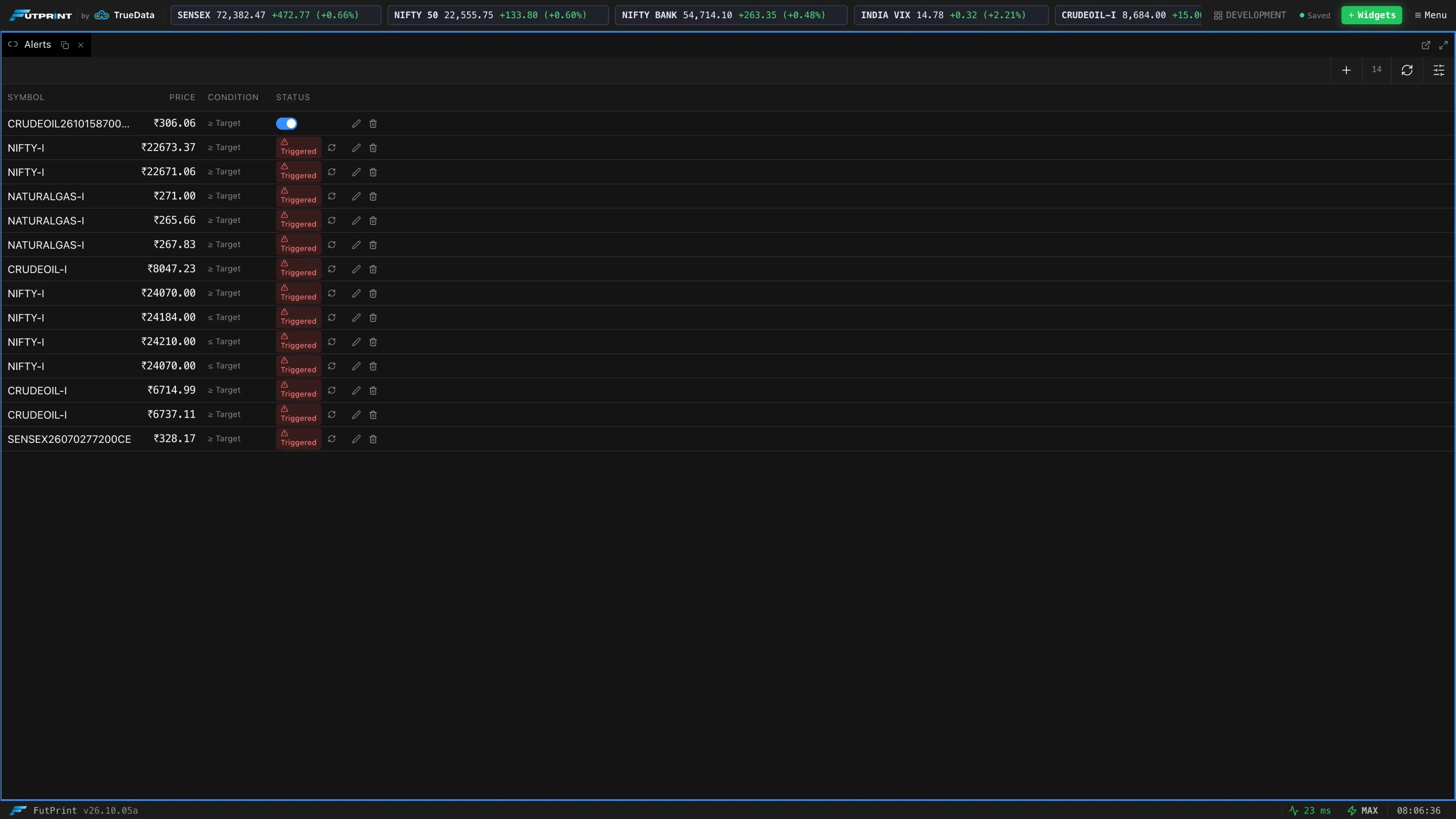
The alert list
| Column | Meaning |
|---|---|
| Symbol | The instrument the alert watches. |
| Price | The trigger level. |
| Condition | ≥ Target fires when price rises to or above the level; ≤ Target fires when it falls to or below it. |
| Status | A switch for an active alert — turn it off to pause the alert. Alerts that have fired show Triggered. |
Each row has actions on the right:
- Disable Alert / Re-enable Alert — pause an active alert, or re-arm one that has triggered.
- Edit Alert — change its price, condition or notifications.
- Delete Alert — remove it.
The toolbar has Create Alert, a count of your alerts, Refresh Alerts and Column visibility.
Creating or editing an alert
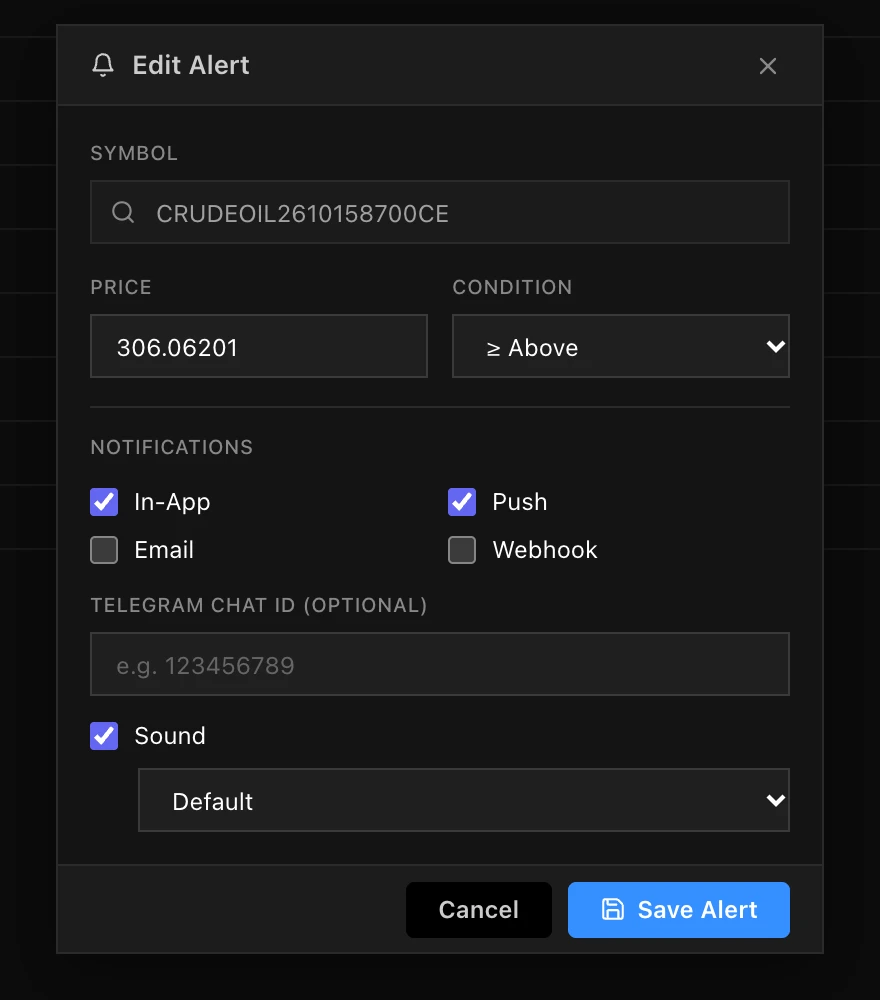
| Field | What it does |
|---|---|
| Symbol | Search for the instrument. |
| Price | The level to watch. |
| Condition | ≥ Above or ≤ Below. |
| Notifications | Where the alert is delivered: In-App, Push, Email and Webhook. |
| Telegram Chat ID (optional) | Send the alert to a Telegram chat as well. |
| Sound | Play a sound when it fires, and which one. |
Press Save Alert to keep it.
Alerts on the chart
An alert for the chart's symbol is drawn as a dashed ALERT line at its price, with the level shown in a tag. The bell on the tag opens the alert, and the × removes it. You can drag the line to move the alert to a new price.
Dragging an alert line changes the alert's price straight away. If you only meant to pan the chart, check the alert's level afterwards.
A triggered alert stays in the list until you re-enable or delete it, so the list doubles as a record of the levels that were hit.