The Terminal & Workspaces
The terminal is a single screen made up of panels. Each panel is one module — a chart, an option chain, a watchlist, and so on. You decide which panels are on screen and how they're arranged; that arrangement is your workspace.
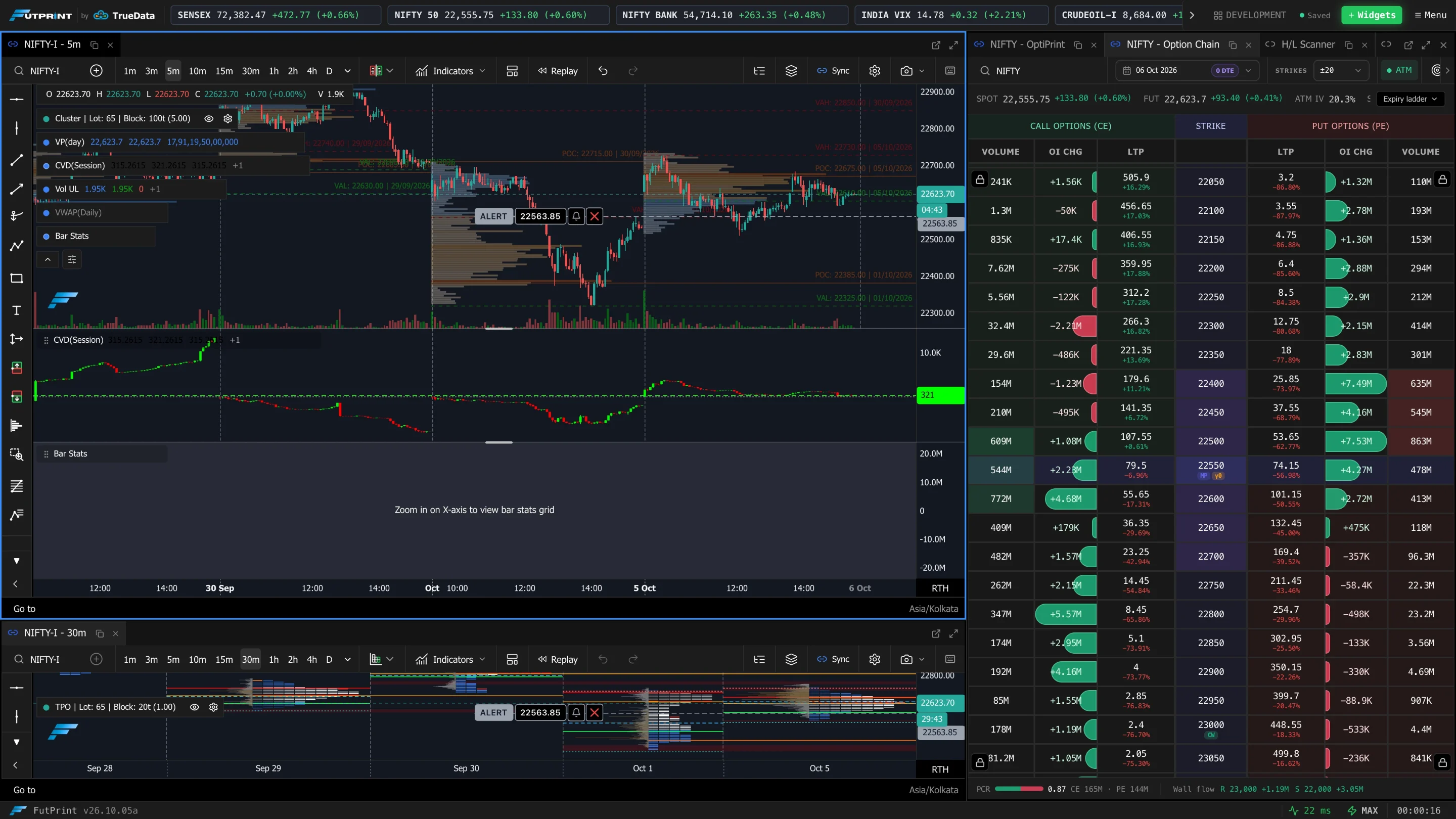
Panels, tabs and groups
- A panel is a single module instance. You can have more than one of the same kind — e.g. two charts on different symbols.
- Panels live inside groups. A group shows one panel at a time and stacks the others as tabs along its header, exactly like browser tabs.
- Drag a panel's tab to split the screen — drop it against the left, right, top or bottom edge of a group to create a new group beside it, or drop it onto another group's header to stack it there as a tab.
/help-assets/getting-started/drag-to-split.mp4Resizing and focus
- Drag the divider between two groups to resize them. The split ratio is part of your workspace and is saved with it.
- Click anywhere in a panel to give it focus. The focused panel is the target for keyboard shortcuts (for example, chart shortcuts only apply to the chart you're working in).
Your workspace is saved
The terminal continually remembers your layout — which panels are open, where they are, and their individual settings. When you come back, you pick up where you left off.
Most modules also save their own state inside the workspace, not just their position. For example:
- A Chart remembers its symbol, timeframe, chart type, indicators and drawings.
- A Watchlist remembers its symbols, visible columns and column widths.
- An Option Chain remembers its underlying, expiry and strike range.
- A Heatmap remembers its symbols and view settings.
The Menu
Menu at the top right holds the theme, workspace and view controls.
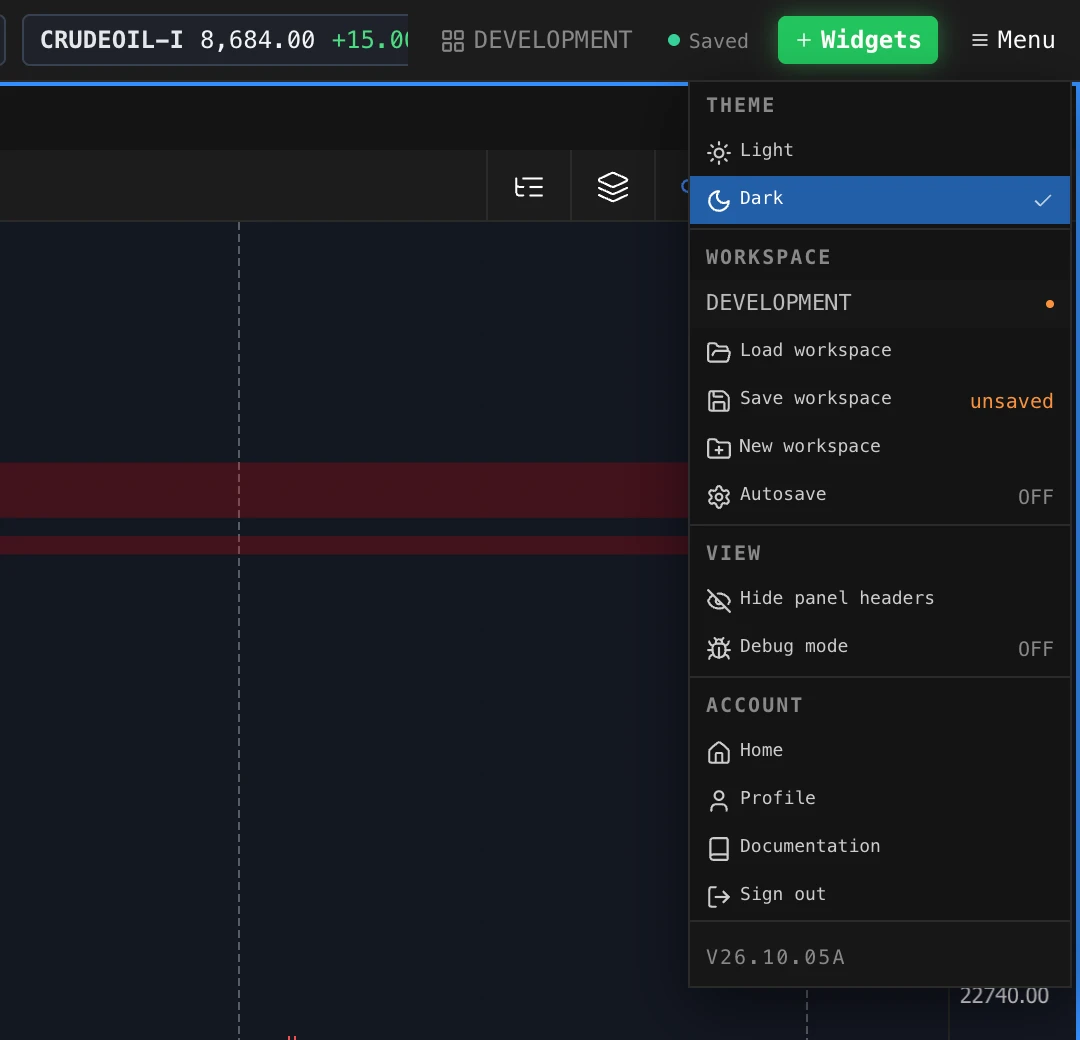
| Item | What it does |
|---|---|
| Theme — Light / Dark | Switches the whole terminal's theme. |
| Workspace name | The workspace you are in. A dot beside it means there are unsaved changes. |
| Load workspace | Opens the Workspace Manager to switch to another saved workspace or start from a template. |
| Save workspace | Saves the current layout and panel settings to this workspace. It reads unsaved while there are changes to save. |
| New workspace | Creates a new, named workspace. |
| Autosave | When on, changes are saved for you periodically. When off, nothing is saved until you choose Save workspace. |
| Hide panel headers | Hides the tab strip on every group to give panels more room. |
| Home, Profile, Documentation, Sign out | Account links. |
The header also shows the workspace name and a Saved / Unsaved indicator beside the + Widgets button, so you can always see whether your layout has changes that have not been saved.
With Autosave off, reloading the page discards unsaved changes and returns to the last saved layout. Save before you leave if you want to keep them.
You can keep several named workspaces — for instance one for index options and another for equity swing trades — and switch between them. Use the workspace manager to save, rename, switch, and import/export layouts.
Some panel types have per-plan limits on how many you can open at once. If you hit a limit when adding a panel, the terminal tells you which plan unlocks more.