Ask FutPrint answers how-do-I questions from the guides, Compose with AI writes scripts in the Script Editor, and the Heatmap replays the session
A new Ask button in the header opens a help assistant that answers questions about using FutPrint from the guides, on every plan, and links the page each answer rests on. Describe an indicator or strategy in plain words and the Script Editor writes the OpenScript for you on the Pro and Max plans. The Heatmap replays the session minute by minute, and the Add widget drawer gains search and even cards.
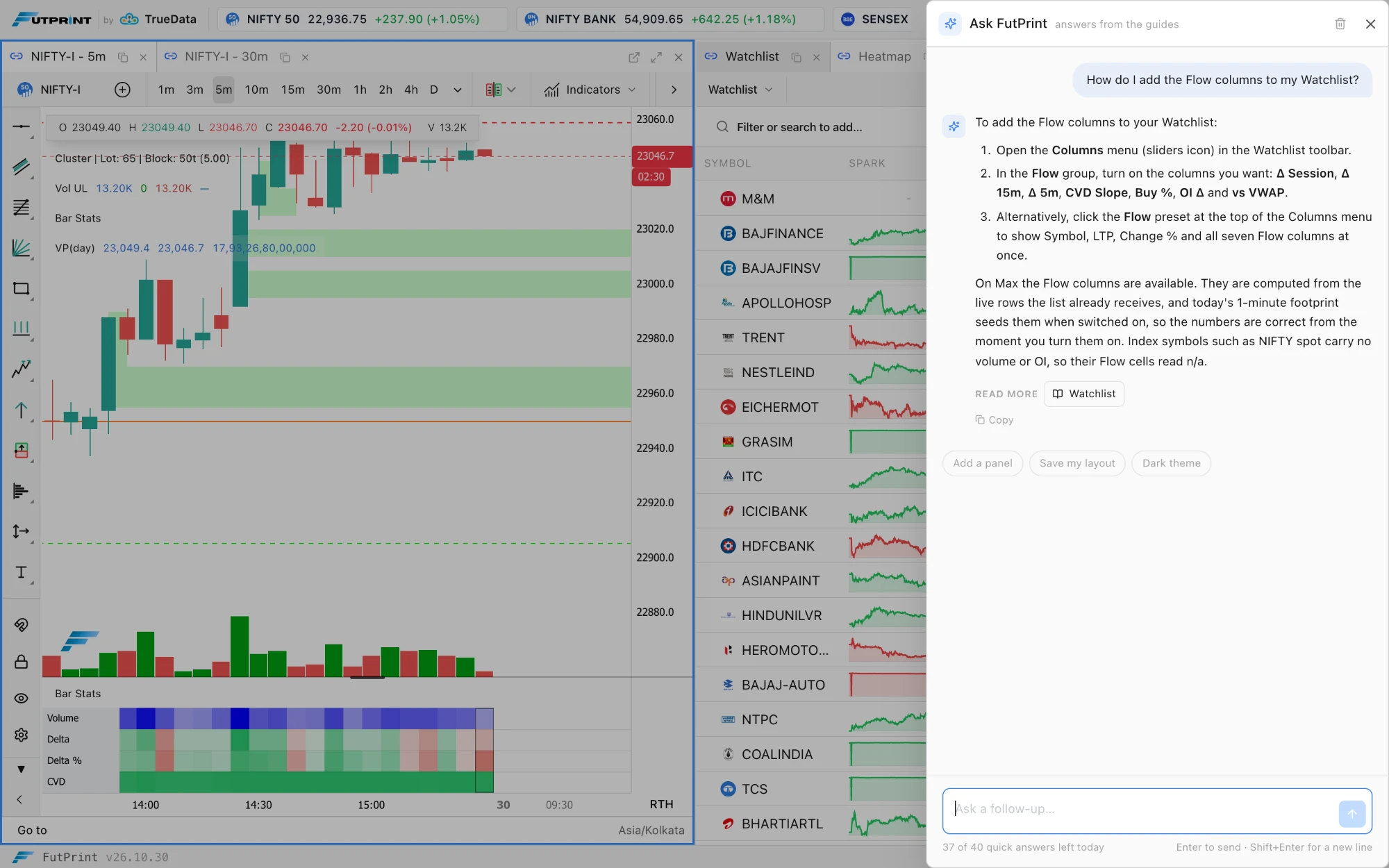
Ask FutPrint. The Ask button in the header, beside Widgets, opens a drawer where you ask how to do something in the terminal in plain words: "how do I add a column to the Watchlist", "where is the imbalance threshold", "how do I replay yesterday's session". The answer is drawn from the FutPrint guides, names controls as the app names them, and ends with Read more links that open the page it rests on in a new tab. The assistant knows which panel was focused when you opened it, so "where is that setting" is read against that panel, and the starter questions follow the panel too. It answers only questions about using FutPrint: it gives no trading advice or market views, and when the guides do not cover a question it says so, under a Not covered by the guides label, rather than guessing. Included in every plan with forty quick answers a day; after that it answers one question a minute, up to three hundred a day, resetting at midnight IST. The conversation stays in the browser tab until you press Clear conversation; questions and answers are stored with your account so the team can improve the guides. Ask FutPrint in the workspaces guide.
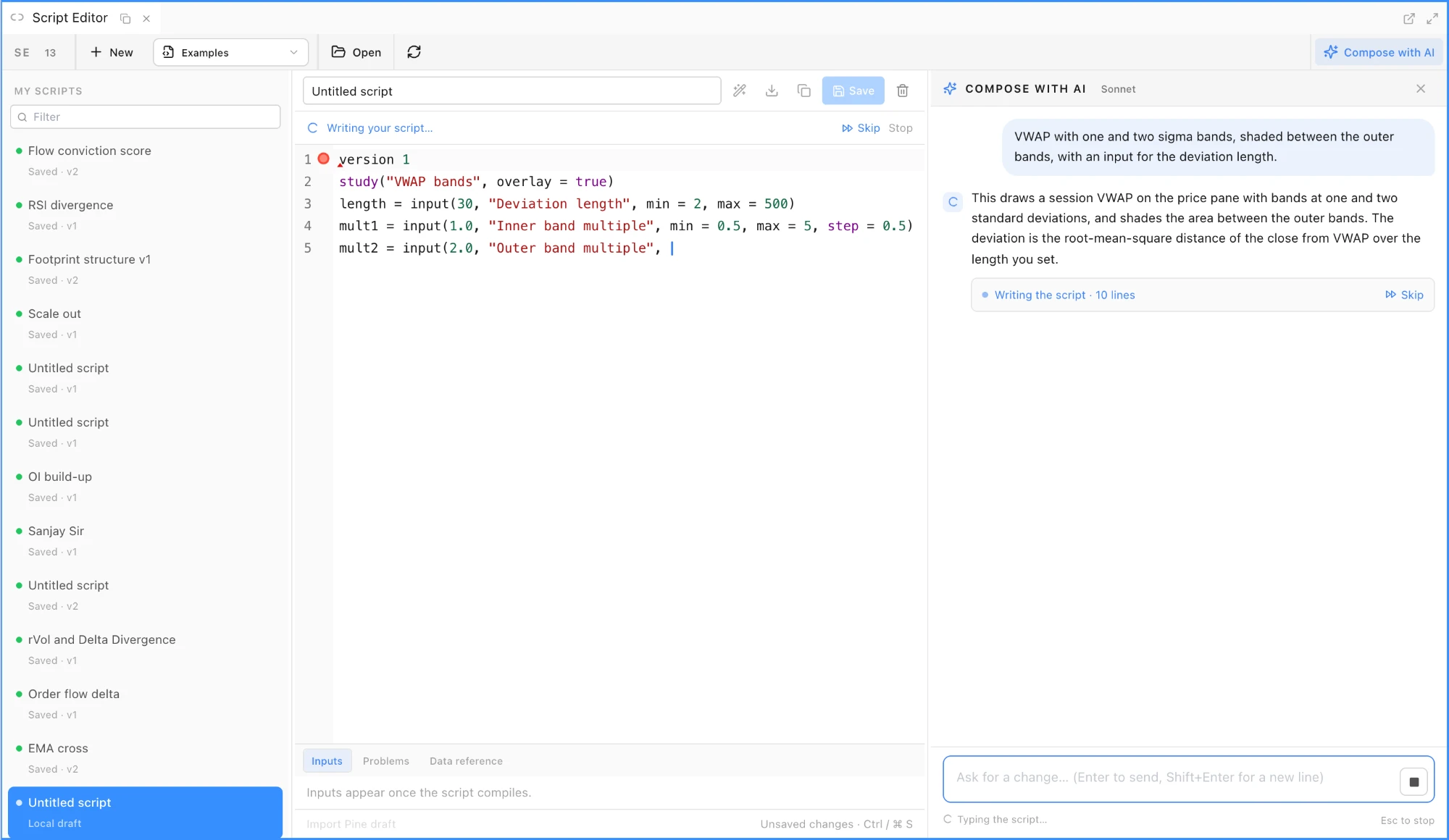
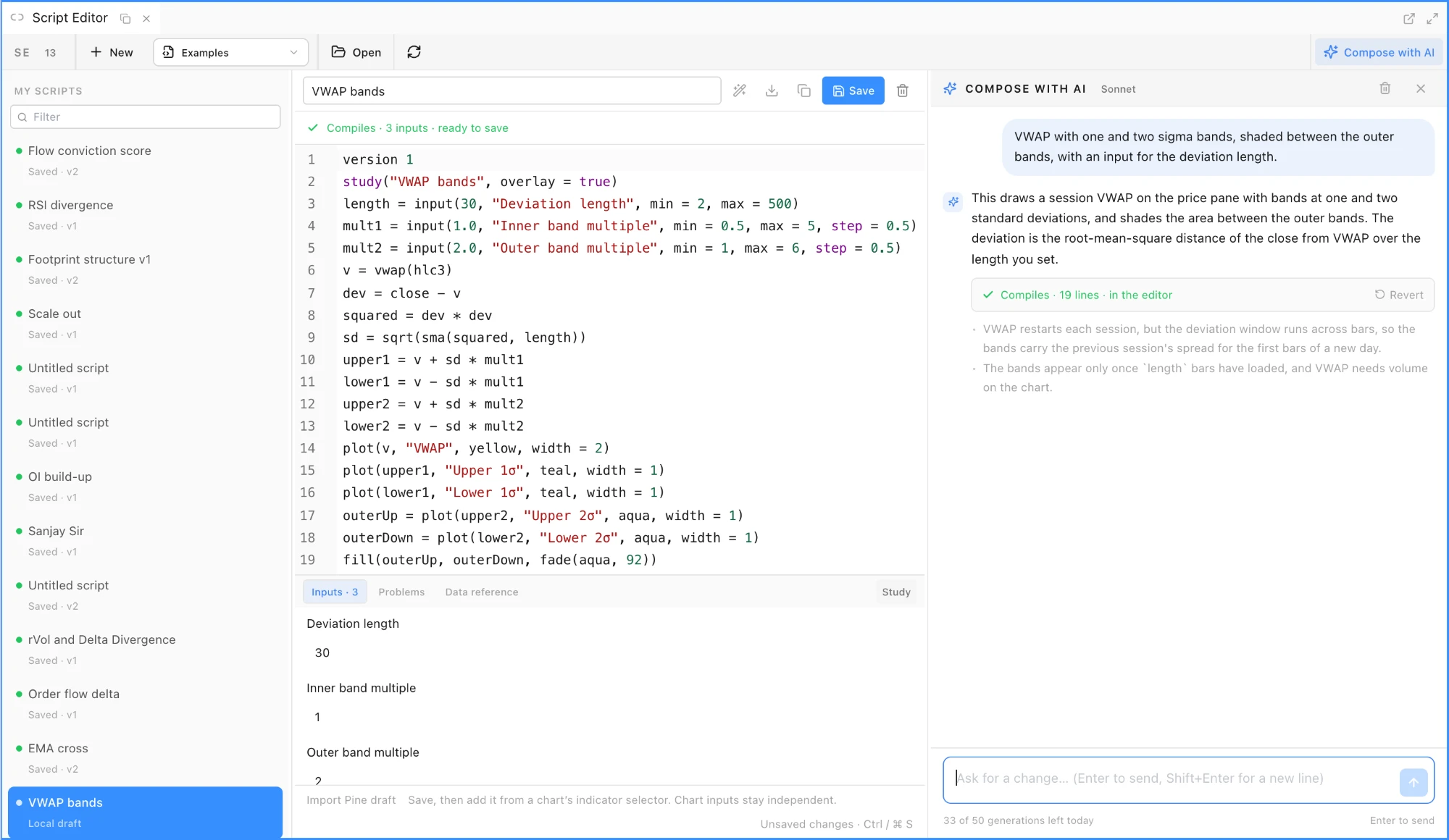
Compose with AI in the Script Editor (Widgets ▸ Charting & Analysis) writes OpenScript indicators and strategies from a plain-language description, or revises the script in the editor when you ask for a change. Press Compose with AI in the toolbar for a conversation beside the editor with Try one starters for price studies, order flow, open interest and strategies. The reply is typed into the editor as it streams; Skip shows it all at once and Stop (Esc) keeps what has arrived. When the last line lands the compiler runs: if it compiles, the status bar reads Compiles · 3 inputs · ready to save and the Inputs tab lists them; if not, the composer sends the compiler's problems back once by itself and asks for a corrected script, and after that Ask AI to fix is a button. Revert on any reply puts the previous version back, an untitled script takes the title the reply declares, and nothing reaches your account until you press Save. Each request carries your words, the script in the editor and the earlier turns of that conversation; your charts, account and saved scripts are not sent. The composer writes and revises scripts only: questions about the language, the data or the library get a short answer, and anything else gets a one-line reply that still counts toward the day's allowance. Included in the Pro and Max plans, trials too, with fifty generations per account per day that reset at midnight IST; the remaining count shows under the prompt box. Script Editor guide.
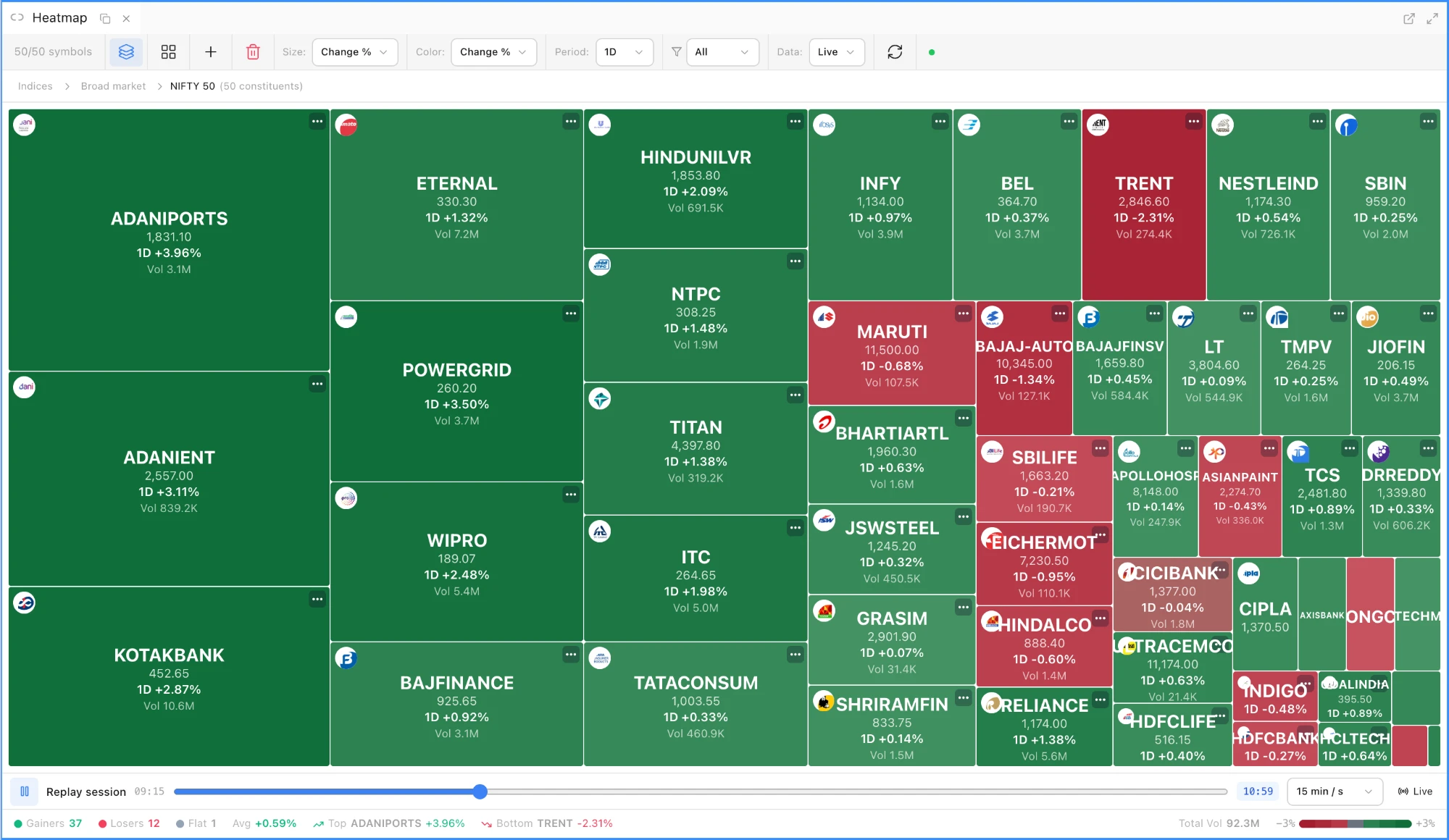
Replay session in the Heatmap. A bar under the treemap has play and pause, a scrubber across the session's minutes, a Playback speed of 5 min / s, 15 min / s, 30 min / s or 1 hr / s, a clock, and a Live (or Close) button back to the current values. Pressing play or dragging the scrubber loads every tile's one-minute bars for the day, today with Data: Live or the picked date with Data: Hist, eight symbols at a time with the progress shown in the bar. Change %, price and volume then replay minute by minute from 09:15 to the last bar and the stats footer follows. Tile sizes hold the session-end layout, so tiles stay put and only colours and labels move. 5m to 4H and Gap are measured within the session; 1W and 1M cannot be, so a replay shows 1D for those and labels it so. Heatmap guide.
Ask, beside Widgets: the answer comes from the guides and links the page it rests on.The reply is typed into the editor as it streams; Skip shows it all at once and Stop keeps what has arrived.When the last line lands the compiler runs. The inputs appear below the editor and the reply carries Revert.Replay session under the treemap: the scrubber, the clock and the speed, with tiles holding their places as the colours move.
Improved
Script Editor in three columns. Your scripts with a filter on the left, the editor in the middle with Inputs, Problems and Data reference tabs beneath it and a Study or Strategy pill, and the composer on the right, each column resizable. Saving, Examples, Open, Import Pine draft and local drafts work as before.
Heatmap colours. Tiles are solid red or green from the first tick and deepen with the size of the move on a fixed scale for each period, ±3% for 1D, ±0.5% for 5m and ±12% for 1M, with a legend in the footer. Before, a translucent ramp from grey left most tiles faint and the scale was refit to the data every frame. Each tile's label colour is picked against its own fill, so the change % reads on every shade, and the tile under the pointer gets a ring and a slight lift.
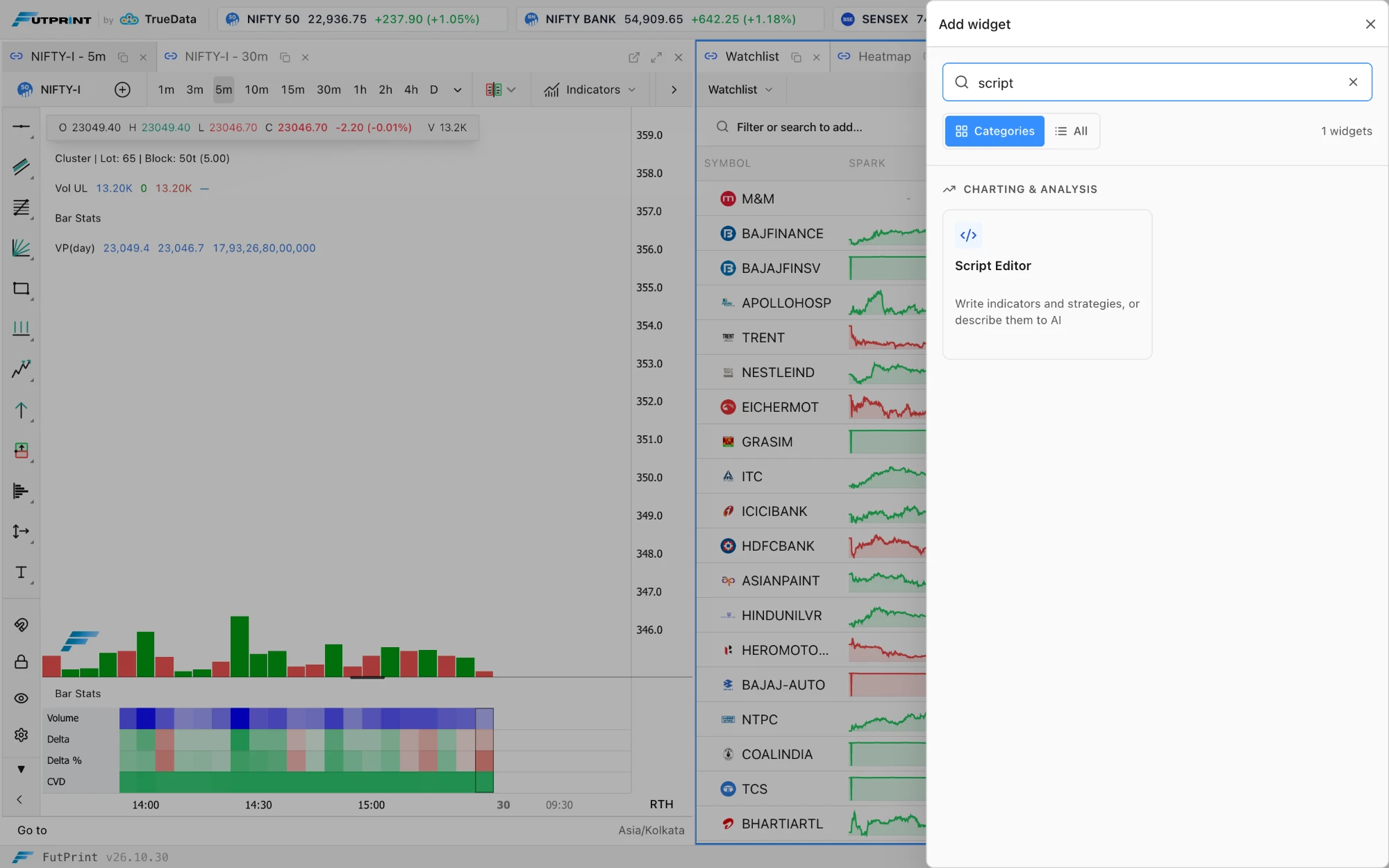
Add widget drawer. The Widgets button opens a drawer with a Search widgets box, Categories and All views and a count of what matches; all 27 widget cards share one height with a short description and an icon, and keyboard focus returns to where it was when the drawer closes. Working with panels.
One typeface across the terminal. The header, the menu and the widget drawer now use the terminal's sans-serif face instead of a monospace one; ticker prices keep tabular digits so their widths stay stable. The Menu has larger click targets, clearer status badges and scrolls within the viewport.
Widgets opens a drawer: type to search, or browse the categories.

 by TrueData