Ask FutPrint works the chart for you, plus a Market Calendar, Sector Rotation and a daily Market Mood score
Tell Ask FutPrint what to do on a chart in plain words and it adds indicators and drawings, changes the view, timeframe or symbol, sets alerts, marks candles by volume or size and, on Pro and Max, finds order flow, with every change on a card you can undo. The terminal also gains a Market Calendar, a Sector Rotation chart, Smart Money and Delivery views in Institutional Flow, a daily Market Mood score and a Market Events study that marks expiries and results on the chart, all on every plan.
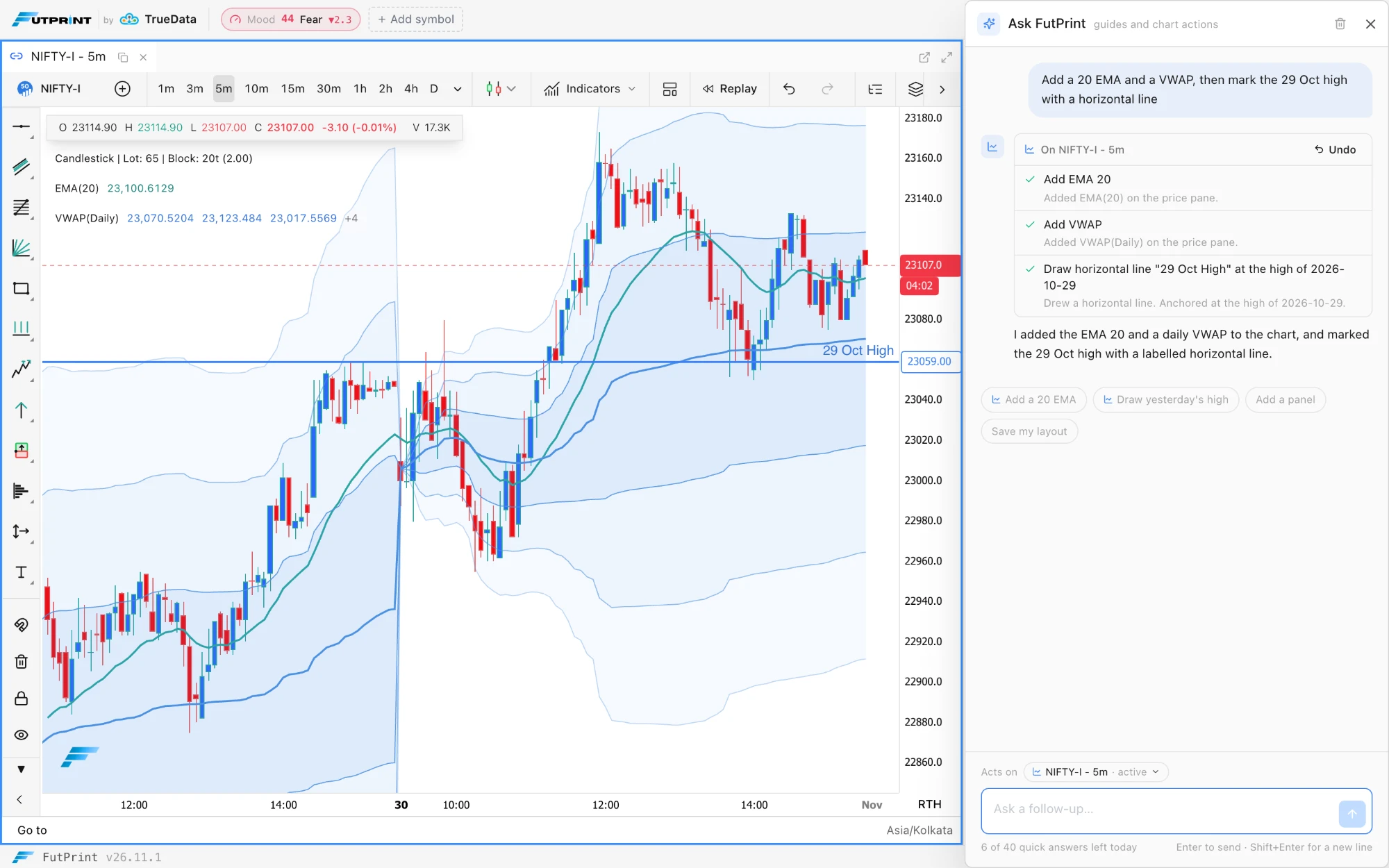
Ask FutPrint works the chart. The Ask drawer still answers how-do-I questions from the guides, and now also does what you ask on a chart, in plain words in English or Hinglish: "add a 20 EMA", "draw a line at yesterday's high", "switch to 15m", "go to 15 Oct", "remove the RSI". It adds, changes, hides and removes indicators, including a saved script by its name; draws and edits lines, rectangles, channels, Fibonacci levels, position boxes, anchored VWAP, text and the other drawing tools at the dates and levels you name; zooms, pans, fits the view and goes to a date; changes the timeframe, symbol, chart type, session and chart settings; and starts a replay at the time you name, then plays, pauses, steps or exits it. Indicators, chart types and timeframes follow your plan as they do in the menus. Acts on, above the question box, names the chart it works on: it follows the active chart, or you pick one from its list when several are open. The empty drawer offers Do it on the chart starters such as Add a 20 EMA and Switch to 15m. Each request counts as one question in the same allowance as before, 40 quick answers a day and then one a minute up to 300, on every plan. Ask FutPrint in the workspaces guide.
Every change on a card, with Undo. Each action appears in the answer as a card saying what it did, and Undo in the card's header reverses everything that answer changed, newest first. Before it removes every indicator or drawing, makes several removals in one step, deletes an alert, or changes the name or message of an alert that posts to a webhook, Telegram or email, the card asks first, and nothing in that step runs until you confirm. Locked drawings are never removed. A request is worked through in up to three rounds, with at most ten actions in one step; for a longer job, ask again.
Alerts from the drawer. Ask FutPrint creates, edits, pauses, resumes and deletes your alerts: "alert me when price crosses 26,000", "alert at yesterday's low", "turn the line at 25,800 into an alert", or a rule of up to five conditions such as "alert when RSI crosses above 70 on 5m". They are the same alerts as in the Alert Manager and on the chart, under the same plan limit. Price levels, horizontal lines and the indicator conditions that alerts support can be alerted; trend lines and other sloped drawings cannot. Alerts guide.
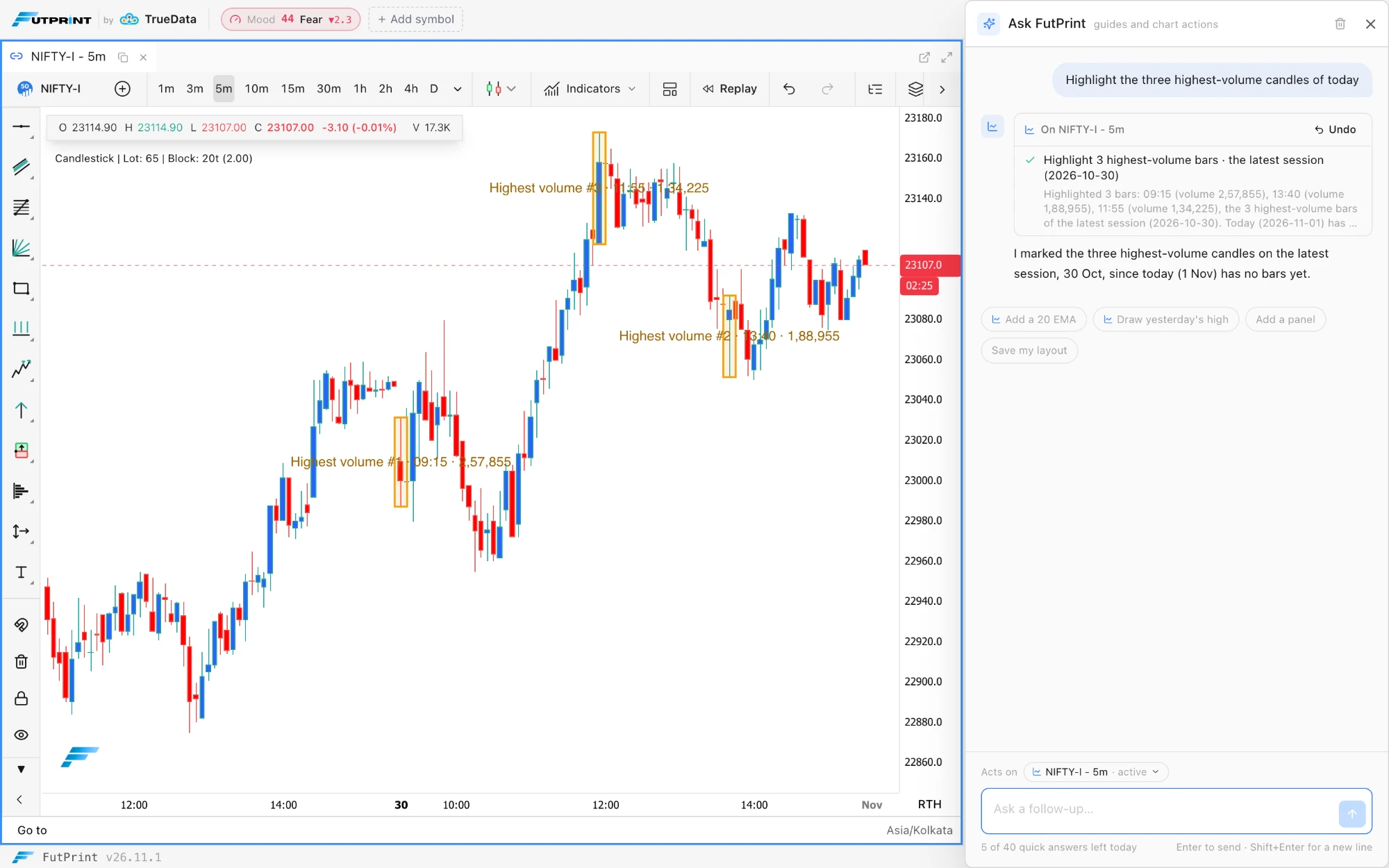
Mark candles by volume or size. Ask for "the lowest-volume candle today", "the three widest-range bars yesterday" or "the biggest down candle on screen" and each candle is boxed, or marked with a line or a label, with its time and value. The picks are lowest or highest volume, widest or narrowest range, biggest or smallest body, highest high, lowest low and biggest up or down candle, up to five at a time, over a day, the bars on screen, everything loaded or a window. They read the bars loaded on the chart, so for an earlier day the assistant goes to that day first, and the candle still forming is left out of volume and size picks. A pick can also anchor a drawing: "draw a line at the high of yesterday's highest-volume candle".
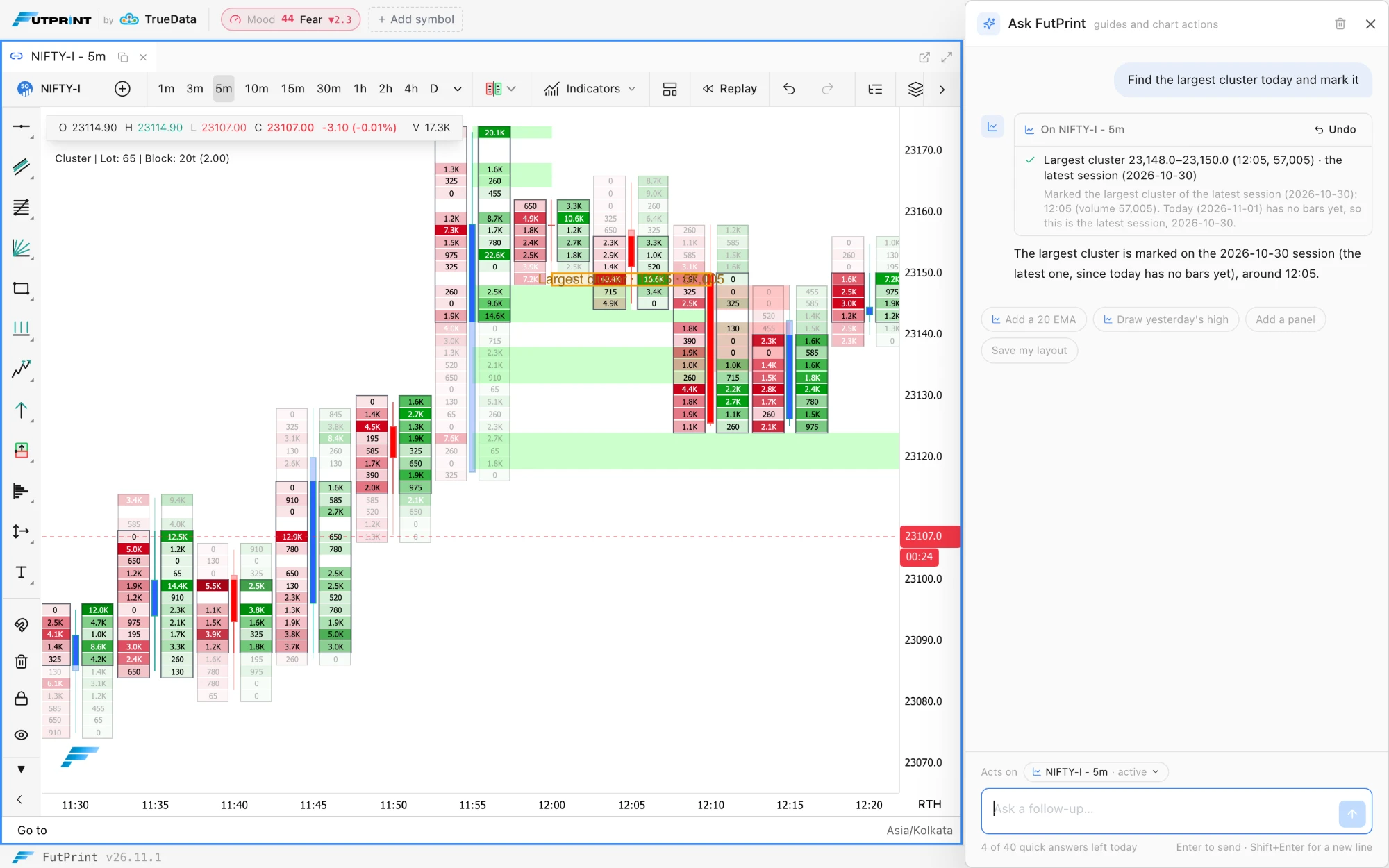
Order-flow finds on Pro and Max. Ask for the largest cluster, the POC, the biggest delta bar, the largest Big Trades print or stacked buy or sell imbalances over a day, the bars on screen or a window, and the browser finds them in the chart's own footprint data, marks each one and shows its price and volume on the card. Rows are grouped as the footprint draws them, so a find matches the cells on screen, and footprint data missing for the loaded bars is fetched first. The largest print needs the Big Trades indicator on the chart, and the assistant says so when it is missing. An index has no traded volume of its own, so ask on its future instead. Big Trades guide.
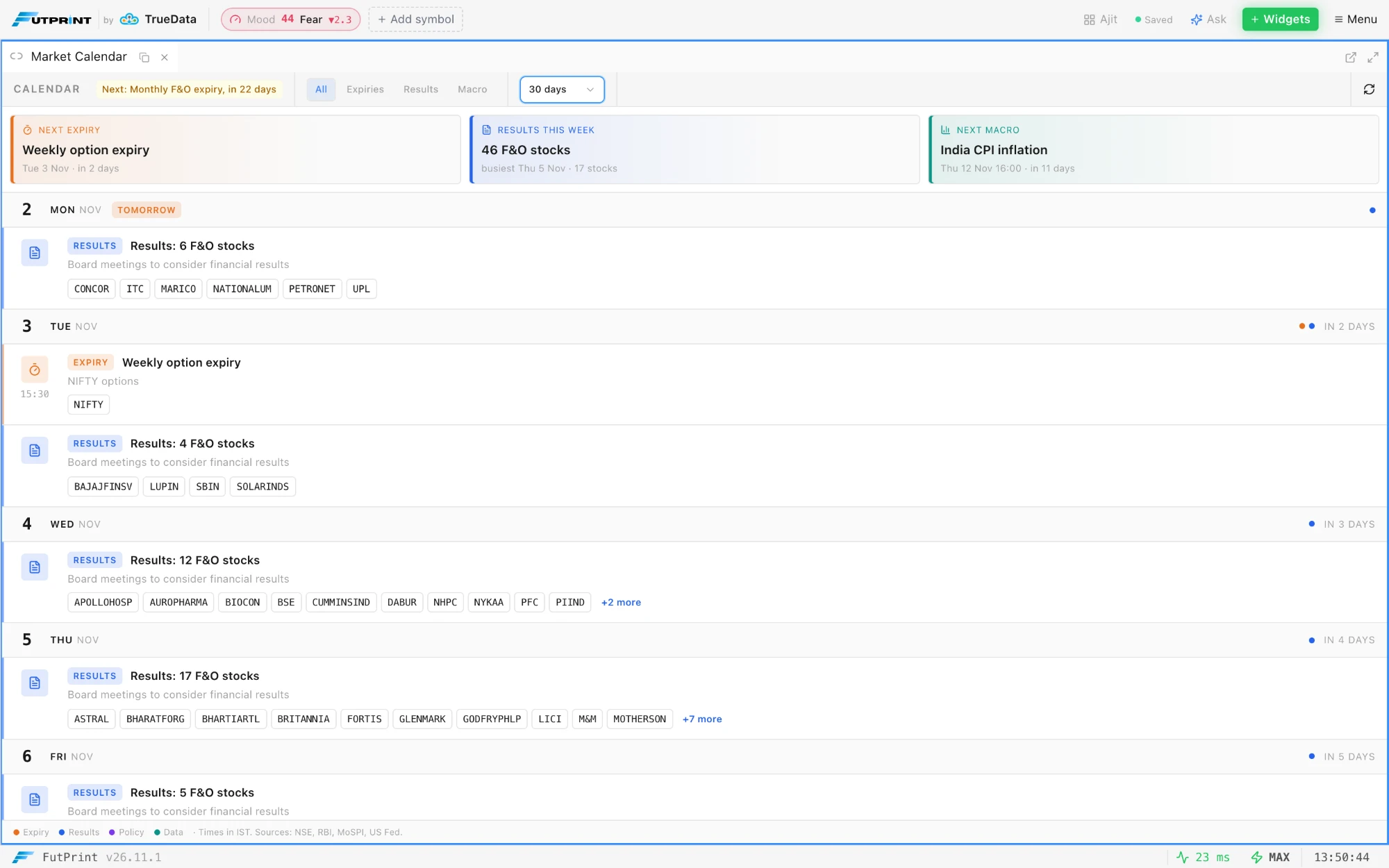
Market Calendar, under Widgets ▸ Market Overview, lists the days ahead with index F&O expiries, results days for F&O stocks, RBI and FOMC decisions and CPI, GDP and IIP releases, each kind in its own colour. The Next expiry, Results this week and Next macro cards filter the list when clicked, as do the All, Expiries, Results and Macro pills, and the window is 14 days, 30 days or 60 days. High-impact events carry a ★ Key tag, and today and tomorrow are flagged on their day headings. On every plan.
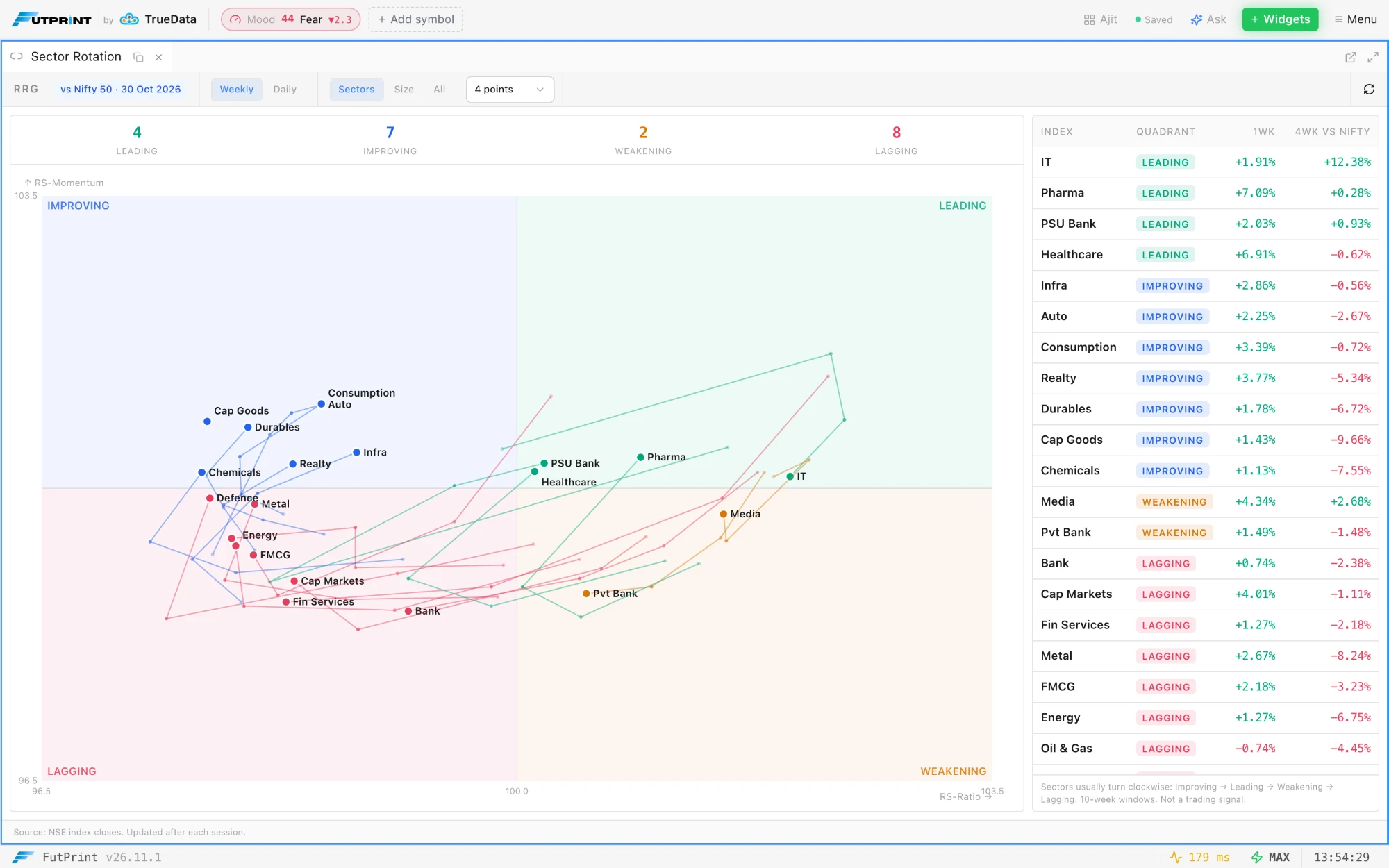
Sector Rotation, under Widgets ▸ Market Overview, plots 21 NSE sector indices, plus the Midcap 100 and Smallcap 100, against the Nifty 50 on a relative rotation chart, RS-Ratio across and RS-Momentum up, in Leading, Weakening, Lagging and Improving quadrants with a count in each. Each index carries a fading trail of 4 points, 8 points or 12 points on Weekly or Daily closes, and the table beside the chart ranks the indices with their quadrant, last return and four-period return against the Nifty; hover a row to pick that index out on the chart. Sectors, Size and All choose which indices show. End of day, on every plan.
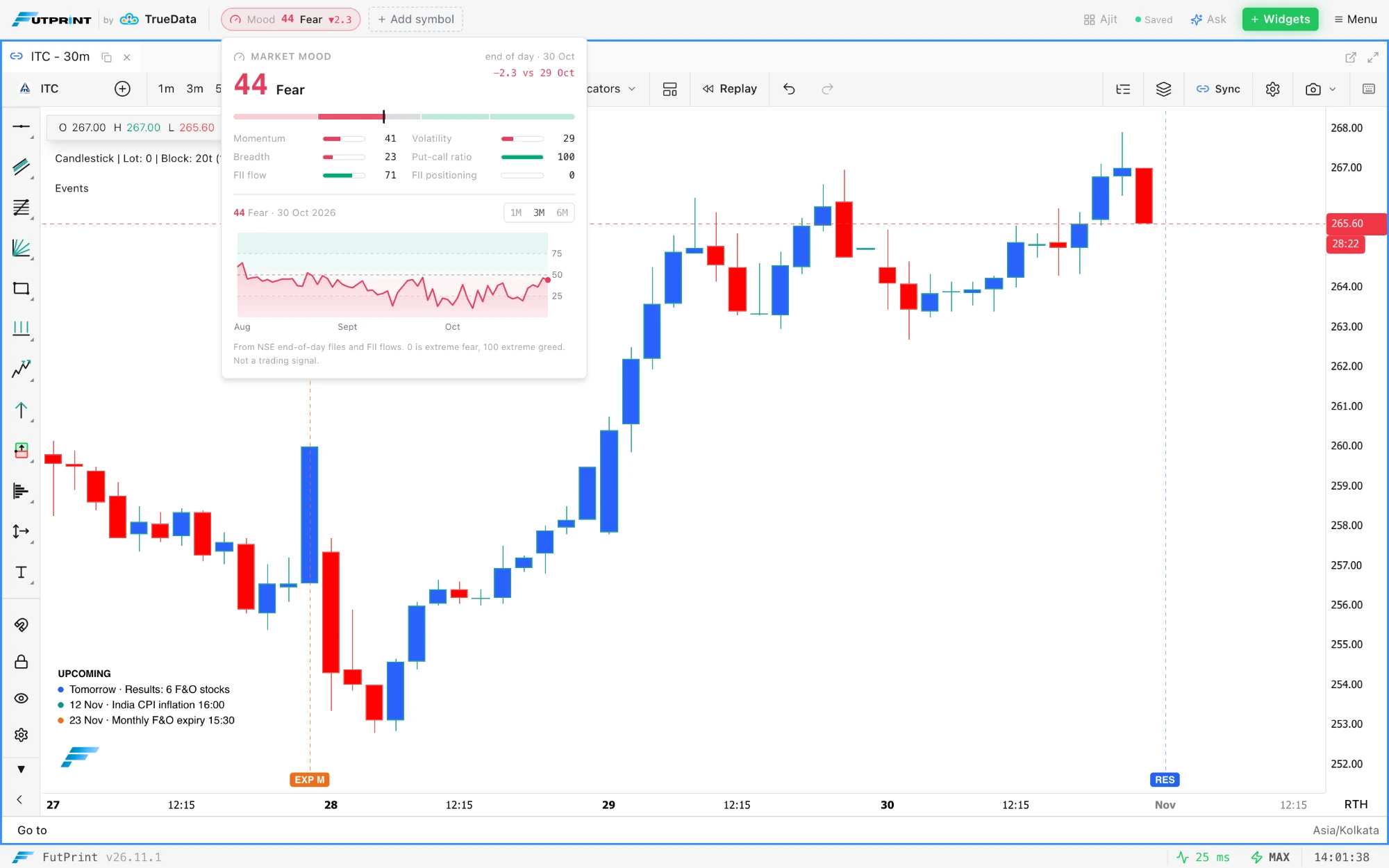
Market Mood is a daily 0–100 fear-and-greed score built from six end-of-day signals: momentum, volatility, breadth, the put-call ratio, FII flow and FII positioning. It sits in the header beside the logo with its band (Extreme fear, Fear, Neutral, Greed or Extreme greed); click it for each signal's reading and the score's history. The same score heads the Market Pulse panel as a strip with the change from the previous session, a band gauge, a bar per signal and a 1M, 3M or 6M history chart over the fear and greed bands, with each session's reading on hover. It is an end-of-day score and changes once a session.
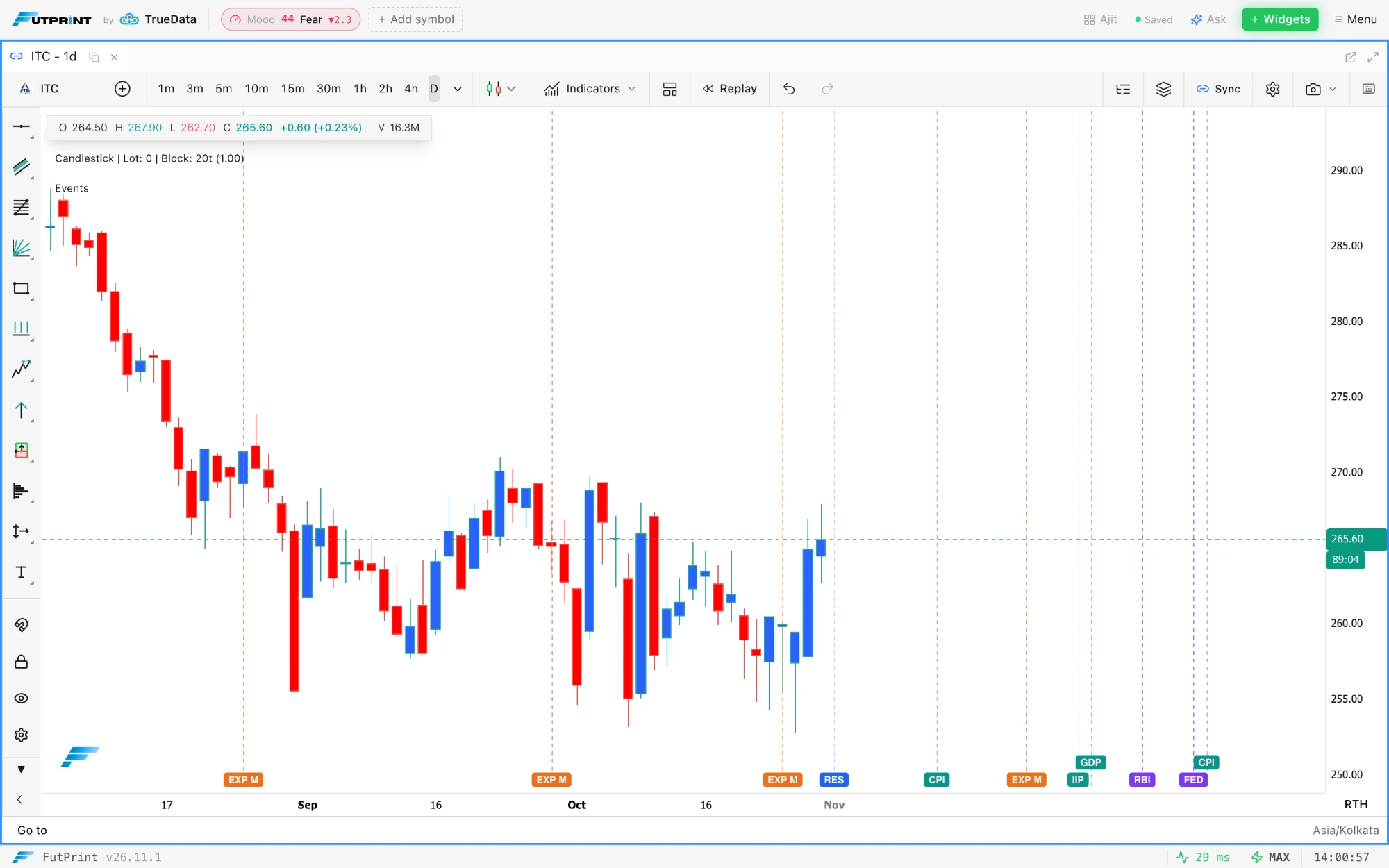
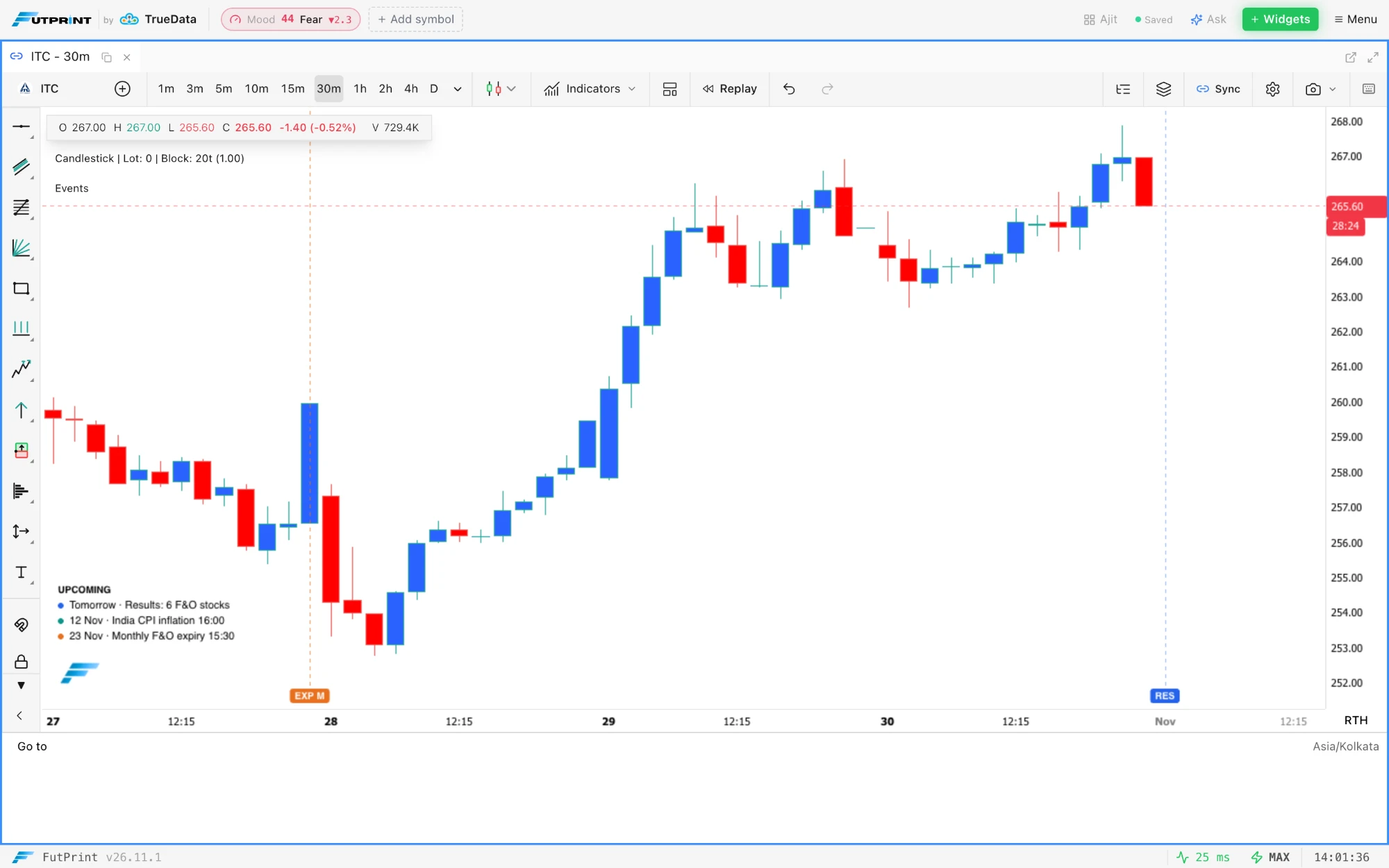
Market Events study, under Indicators ▸ Profile & Market Structure, marks the Market Calendar on the chart as dashed lines with coloured flags: EXP, RES, RBI, FED, CPI, GDP and IIP. An index chart shows its own expiries, a stock chart the monthly expiry and that stock's results, and every chart the policy and macro dates. Upcoming events are flagged past the last candle, by trading day on daily charts and on the bar of their release time on intraday charts, which also list the next three in an UPCOMING box. Past events are marked back to 180 days. Each kind can be switched off in the study's settings, beside a Minimum importance filter.
Say what to do on the chart: each action shows as a card, and Undo reverses the lot.Candles picked by volume or size are boxed, with their times and volumes on the card.On Pro and Max, order-flow finds are read from the chart's own footprint data.The Market Calendar: expiries, results and policy and macro dates, each in its own colour.Sector Rotation against the Nifty 50, with a trail per index and the ranked table.Market Mood in the header: the end-of-day score, its six signals and its history.Market Events on a daily chart, with upcoming dates projected past the last candle.On intraday charts upcoming events are flagged on their bars and listed in the UPCOMING box.
Improved
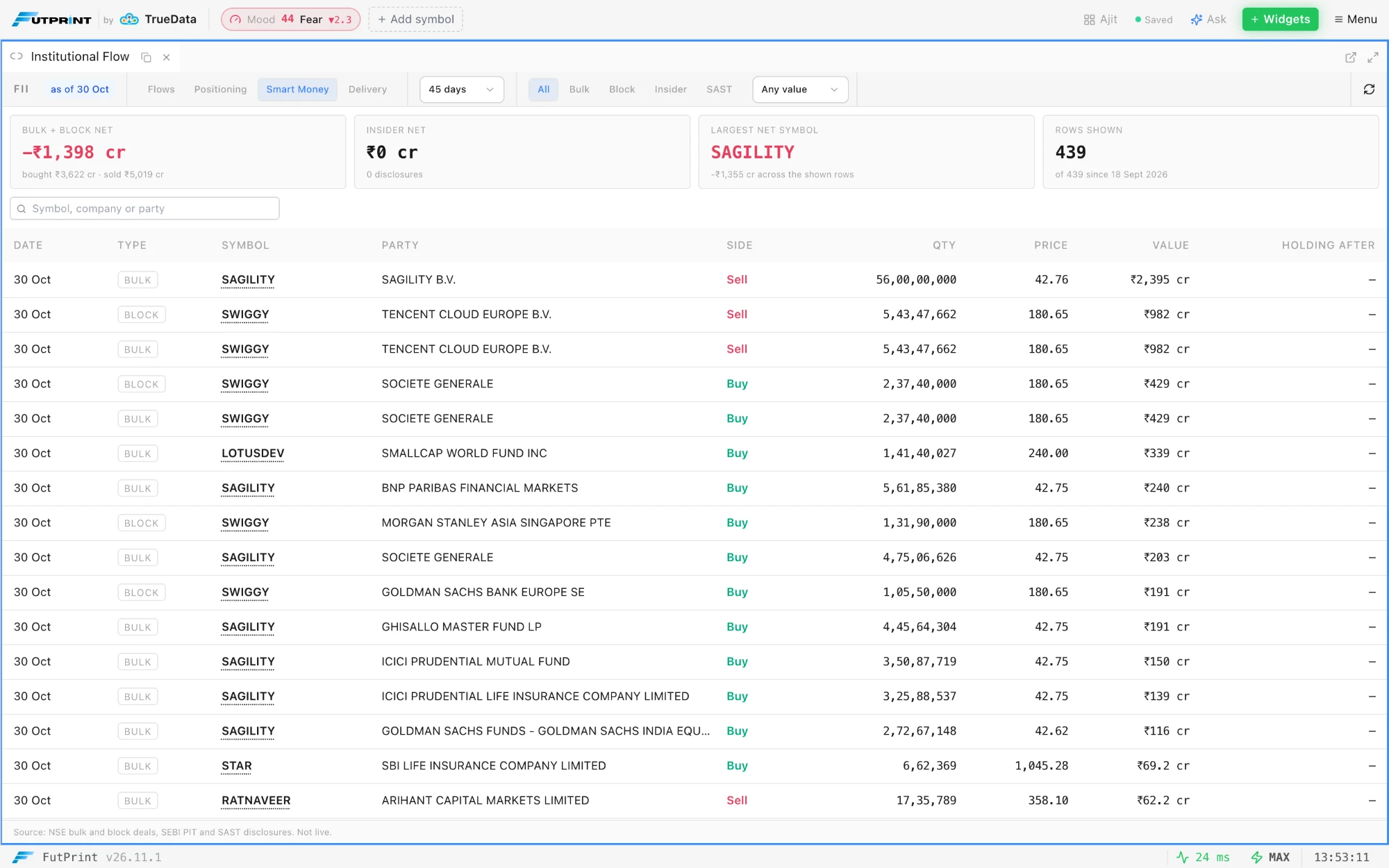
Smart Money view in Institutional Flow. A third view beside Flows and Positioning lists NSE bulk and block deals, insider trades disclosed under SEBI PIT and SAST Regulation 29 filings, with All, Bulk, Block, Insider and SAST pills, a minimum value from Any value to ≥ ₹50 cr, and a search by symbol, company or party. Cards above the table give the Bulk + block net, the Insider net, the Largest net symbol and the Rows shown, and the type and value filters are saved with the panel. On every plan.
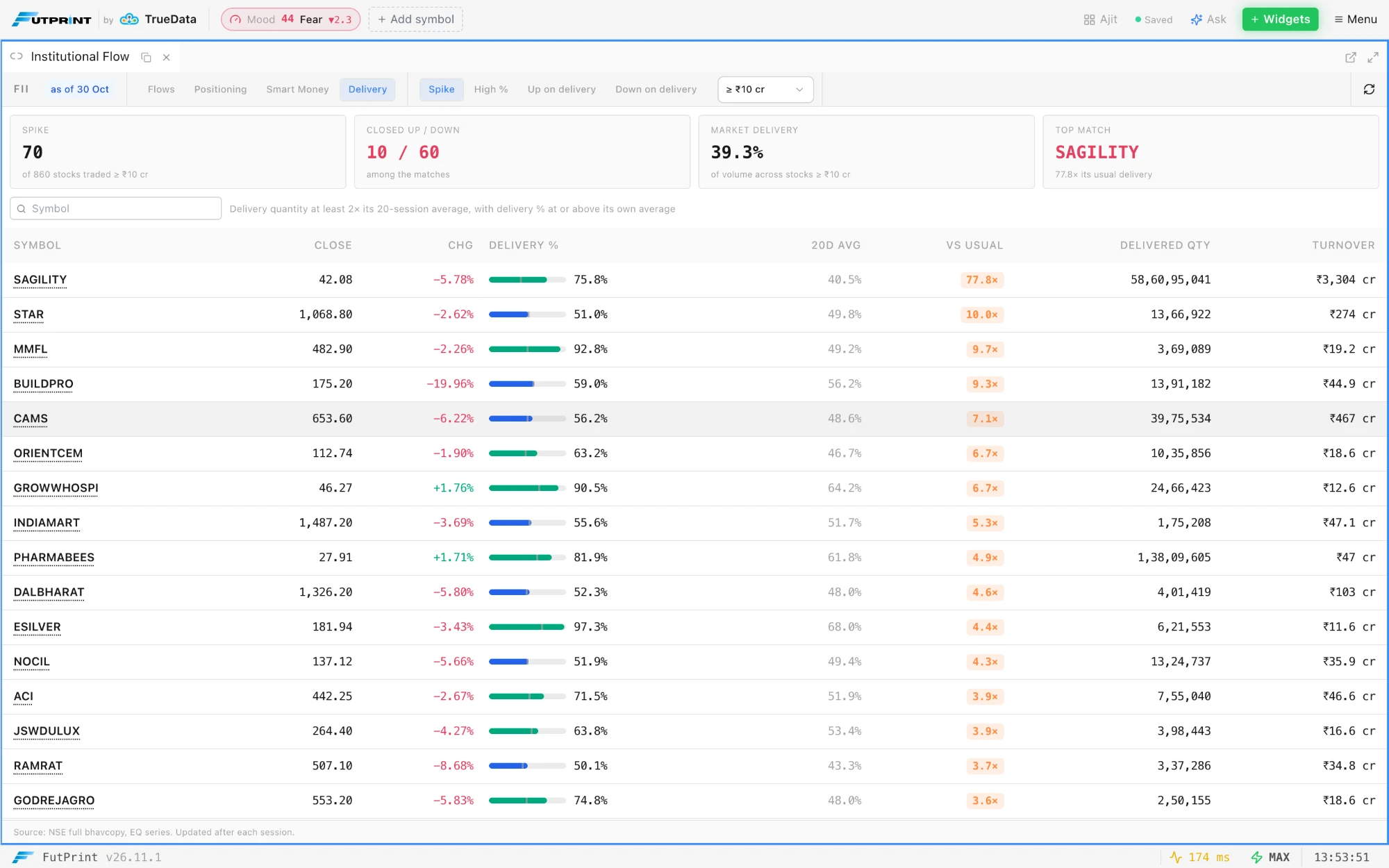
Delivery view in Institutional Flow. A fourth view compares each NSE stock's end-of-day delivery with its own 20-session average. Spike lists delivery at least 2× the usual with the delivered share at or above its average, which leaves out intraday volume bursts; High % lists stocks with 60% or more of the day's volume taken for delivery; Up on delivery and Down on delivery list closes higher or lower on a delivery spike of 1.5× or more. A turnover floor from ≥ ₹1 cr to ≥ ₹100 cr drops thinly traded names, and each row's delivery % bar has a tick at the stock's own average.
Symbols open in linked panels. A symbol in the Market Calendar, the Smart Money table or the Delivery table opens in the panels sharing that panel's link colour, as the Watchlist does, or in a new chart when the panel is not linked.
Smart Money in Institutional Flow: bulk and block deals, insider trades and SAST filings in one table.The Delivery view: each stock's delivery against its own 20-session average.
Fixed
Price axis after a symbol switch. Once the price scale had been set by hand, by a wheel or drag on the price axis or a vertical drag of the chart, switching the chart to another symbol could keep the old symbol's price range, so going from NIFTY to ITC left the new candles off screen. The new symbol is now framed on arrival. Charts on auto-scale were not affected.
Option chains for far expiries. Picking an expiry more than three months out, such as the NIFTY 30 Mar 2027 quarterly, gave an empty Option Chain ("No options found for selected expiry"), and Options Print, Depth of Market and the Option Strikes Profile and Gamma Blast studies went blank for it too. Every listed expiry now loads.

 by TrueData