Indicator templates and defaults, TPO level lines clear of the period candle, and a setup notice for new accounts
Every indicator gains a Templates tab that keeps named settings in your account and one default per indicator, in the settings dialog and in the Indicators browser. The TPO chart draws its level lines after the period candle and on the row edges, Big Trades marks a restored chart straight away, a composite profile loads the days it needs, and new customers see their account being set up instead of a blank plan.
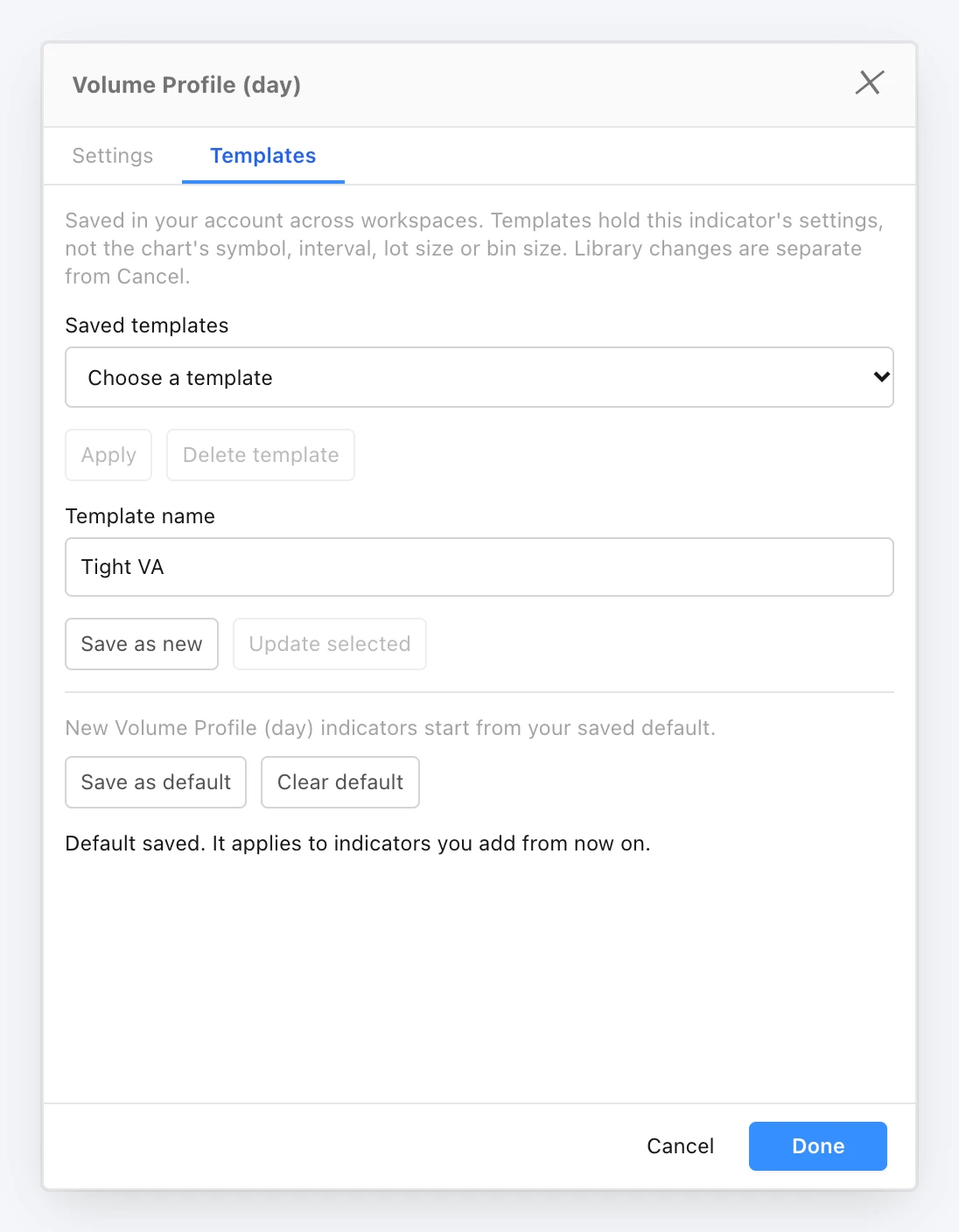
Indicator templates: a Templates tab in every indicator's settings dialog and in the Indicators browser keeps named sets of that indicator's settings in your account, as drawing tools already do, so a Volume Profile or CVD set up the way you like it can be applied on any chart in any workspace. Apply puts a saved template onto the indicator you are editing and Cancel still restores the settings you started from; Save as new, Update selected and Delete template maintain the list. Templates hold the indicator's own settings, never the chart's symbol, interval, session, lot size or footprint bin size, which follow the chart the indicator is on. See the Indicators guide.
Per-indicator defaults: Save as default makes the current settings the starting point for every new instance of that indicator you add from the Indicators browser, and Clear default returns new instances to the factory settings. Indicators already on your charts, saved layouts and synced charts are not changed.
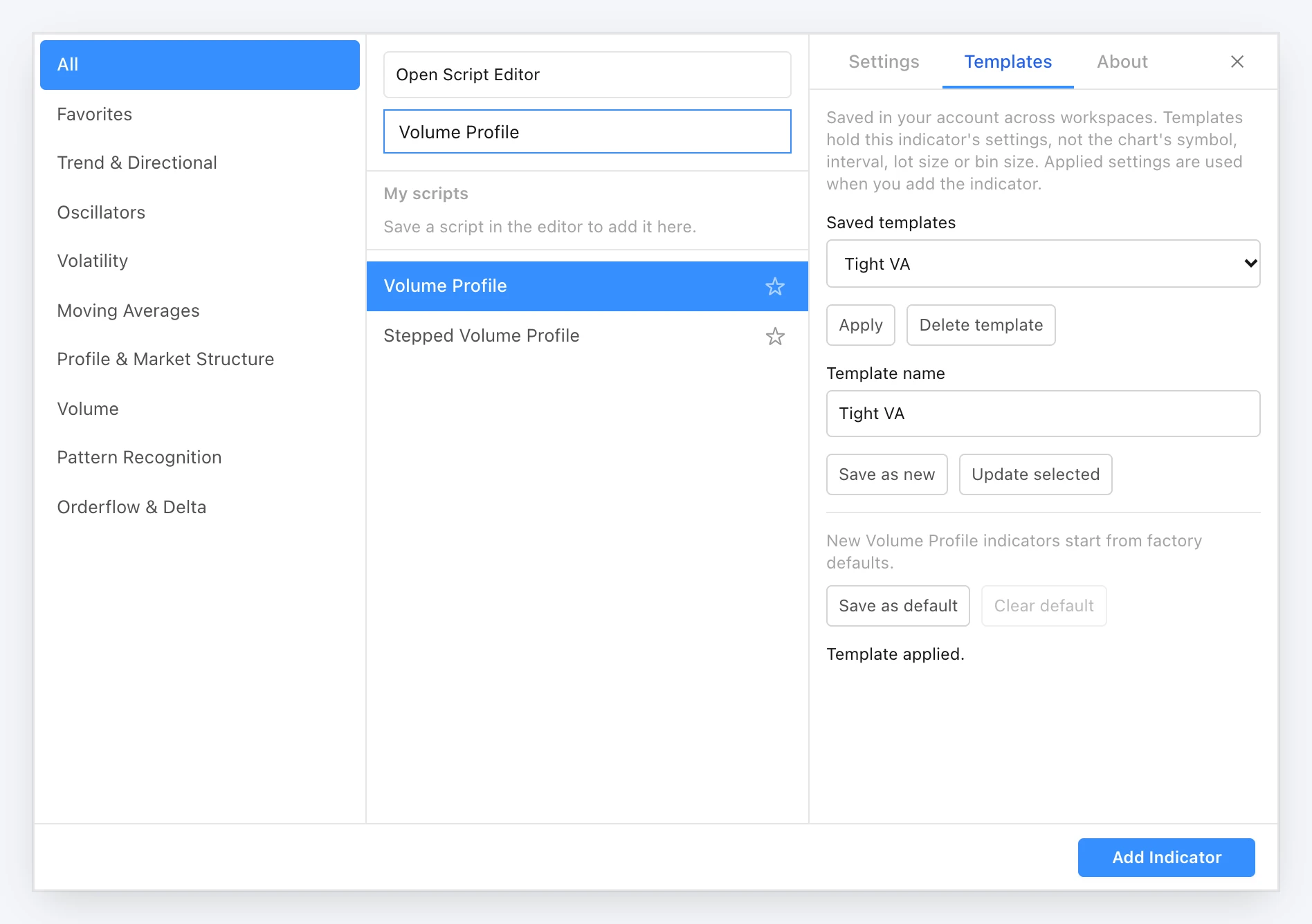
Choose a template before adding: in the Indicators browser, with an indicator selected from the library but not yet added, Apply sets the settings the Add Indicator button will use. Scripts keep their templates per saved library script, and indicator templates count towards your plan's template allowance alongside chart and drawing templates.
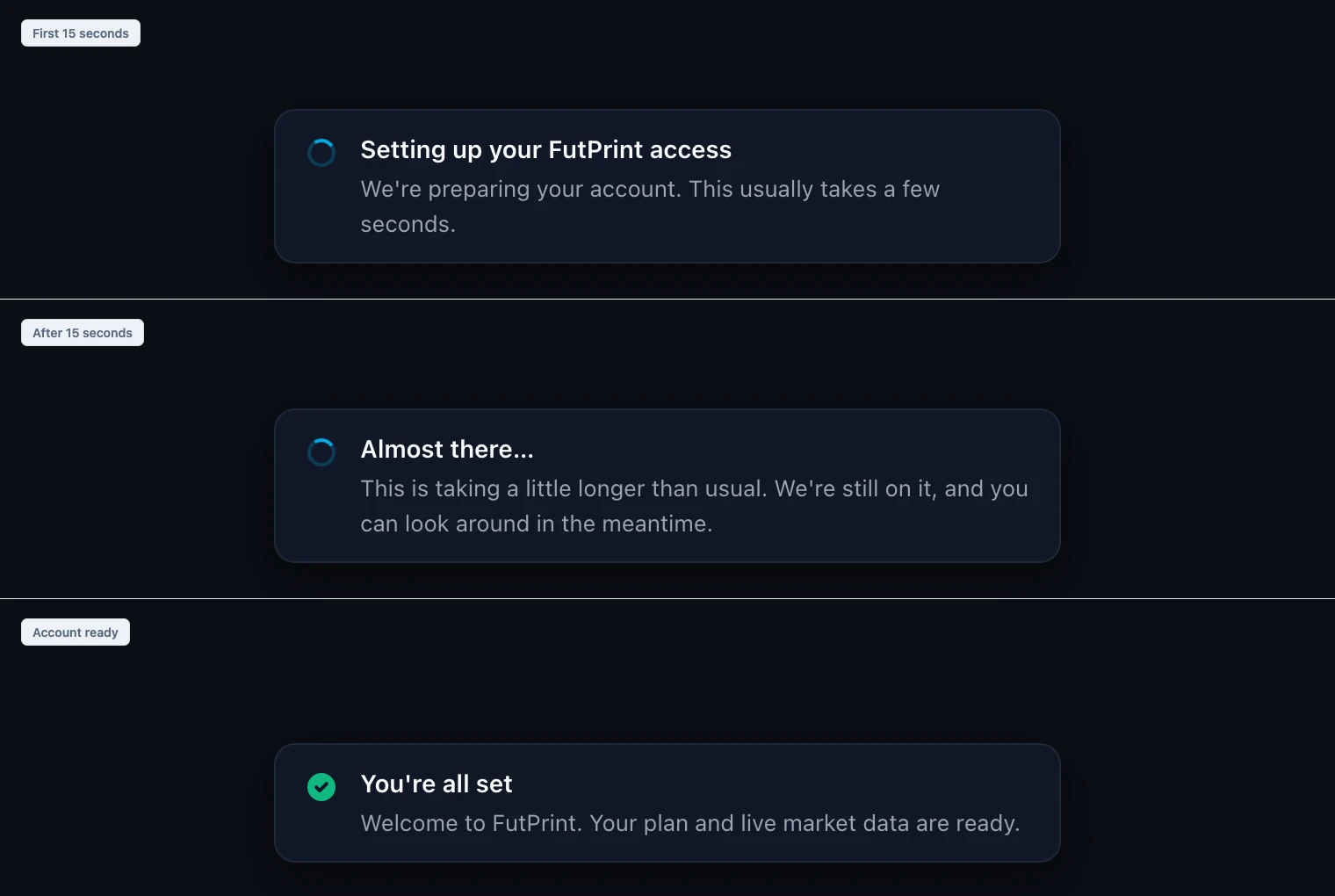
Setting up your FutPrint access: a new customer's account is created a few seconds after sign-up, and until now the terminal showed a blank plan in that gap. It now shows a notice at the bottom of the page while the account is being created, changes to "Almost there…" with a Check again button after 15 seconds, and ends with "You're all set" once the plan and live market data are ready. The referral code from a sign-up link and the default paper trading account now wait for the account instead of being lost. Existing customers never see the notice.
The Templates tab in an indicator's settings dialog: saved templates, a name for the current settings, and the saved default for new instances.In the Indicators browser, a template applied to an indicator that is not on the chart yet sets the settings Add Indicator will use.The setup notice a new customer sees while their account is created, and the message once it is ready.
Improved
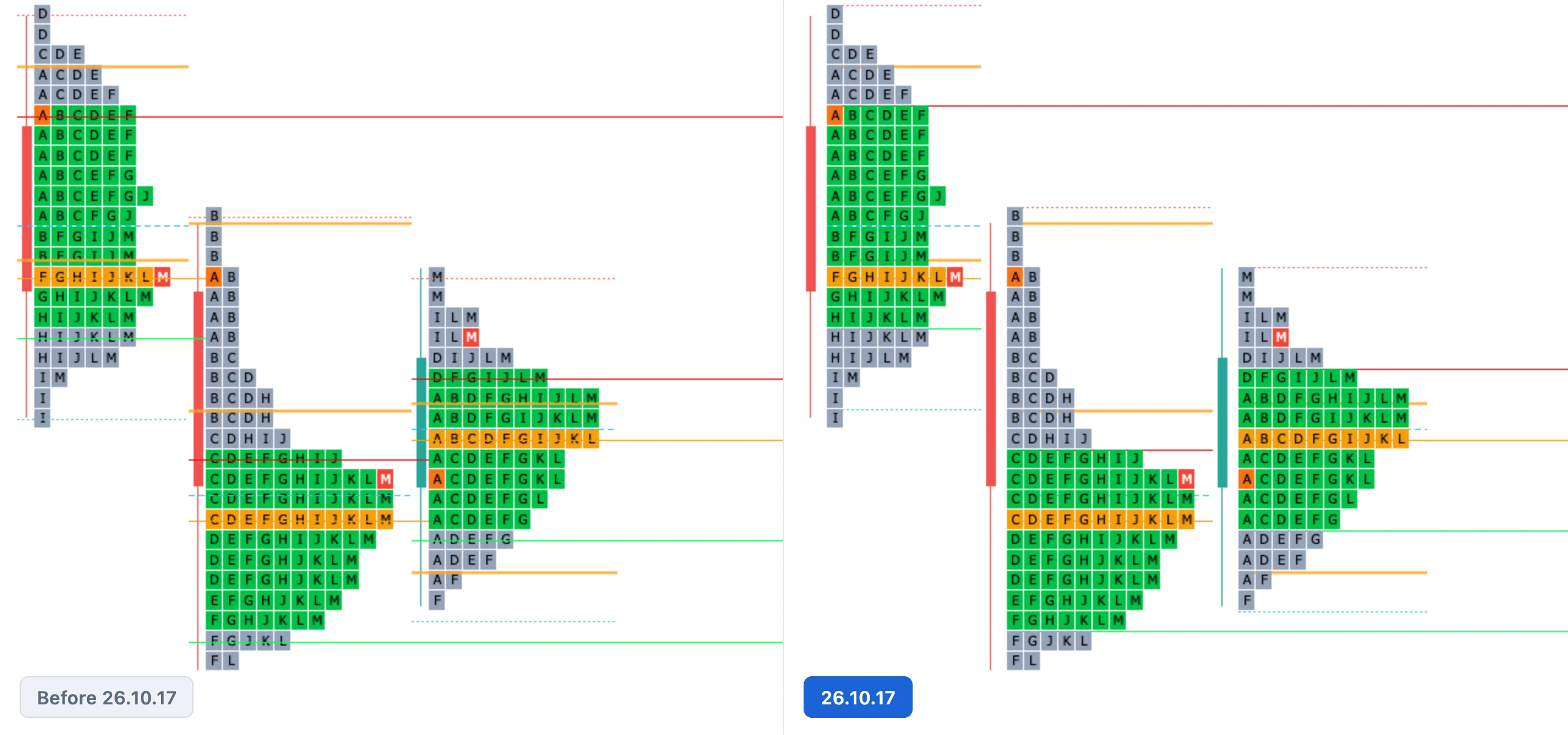
TPO level lines keep clear of the period candle. With Period Candle on, the POC, value area, VWAP and its bands, poor high and low, initial balance and the auction open-price marker start after the candle's slot, in both profile directions. Naked-level extensions stop at the column that revisits the level, so they end before that session's candle, and the candle slot is half as wide again so the profile sits visibly clear of it.
Level lines sit behind the letters. Level lines, the open-price marker and the extensions are painted before the TPO blocks, so they run out from under the profile instead of across the blocks and their letters. The auction arrow and its label still paint on top.
The same three sessions before and after 26.10.17: lines start after the candle, run behind the letters, and the value-area and poor-extreme lines sit on the row edges.
Fixed
Value-area and poor-extreme lines sat half a row low on the TPO chart. A TPO row is keyed by the bottom of its price bin, but the line positions assumed the row centre. VAH and Poor High lines now sit on the top edge of their row, VAL and Poor Low on the bottom edge, and the value-area background band matches. The POC line still runs through its row centre.
Big Trades showed nothing after a workspace restore. Big Trades sat in the legend of a restored chart with no markers until one of its settings was touched. Restored settings now reach the detector as soon as the tick history arrives, and lot size and tick size are no longer stale after a restore.
Composite volume profile over a period that was not on screen. A Composite Volume Profile set to Previous Month on the TPO chart stayed empty until you zoomed out far enough, because footprint volume loads only for the sessions in view. The chart now loads the days the composite needs as soon as it is added, for the Volume Profile indicator and the TPO chart's built-in volume profile alike. Day-range footprint loads no longer cancel each other.
Direct links to the web terminal. Since the 15 October deploy, opening a workspace link, /sign-in or /profile directly landed on the home page or a not-found page. Every address opens the right page again.

 by TrueData