GEX Levels, the Institutional Flow panel, five volume profile styles with levels marked on the bars, and crisper clusters
A GEX Levels overlay draws the call and put walls, gamma flip, max pain and an expected range for the weekly and monthly expiries. A new Institutional Flow panel follows NSE FII and DII flows and participant-wise open interest. Volume profiles gain Solid, Hollow, Linear, Step and Combined styles and can mark their levels on the bars instead of drawing lines, and cluster cells line up their bid × ask text.
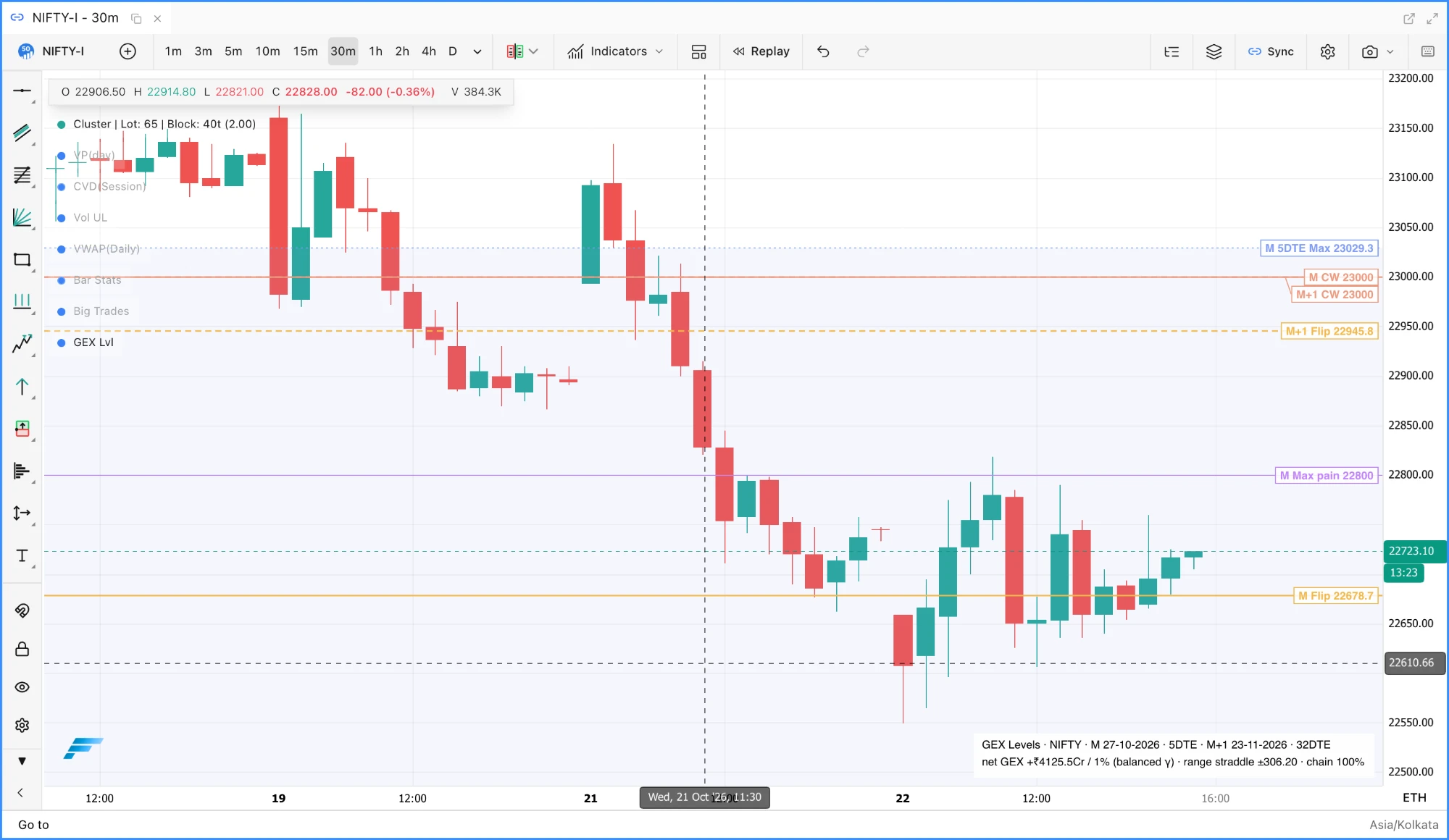
GEX Levels, under Indicators ▸ Volatility, draws dealer gamma levels on the chart for the nearest expiry (solid lines) and the monthly expiry (dashed): the Call wall and Put wall (the largest call open interest at or above spot and the largest put open interest at or below it), the Gamma flip where net dealer gamma crosses zero, Max pain, and an Expected range from the ATM straddle, from ATM implied volatility or from the latest India VIX close, labelled with the days to expiry. Gamma walls and the ATM strike are there too, off by default. Every level has its own switch per expiry, each expiry can be picked by hand, labels sit as chips at the right edge with a connector to the line, and an optional History trail replays the walls, flip and max pain per candle over the last one to five days. Levels are computed at the chart's latest candle from each contract's latest bar, accept a quote up to three candles old, and draw nothing when fewer than 60% of the chain has a usable quote. GEX Levels guide.
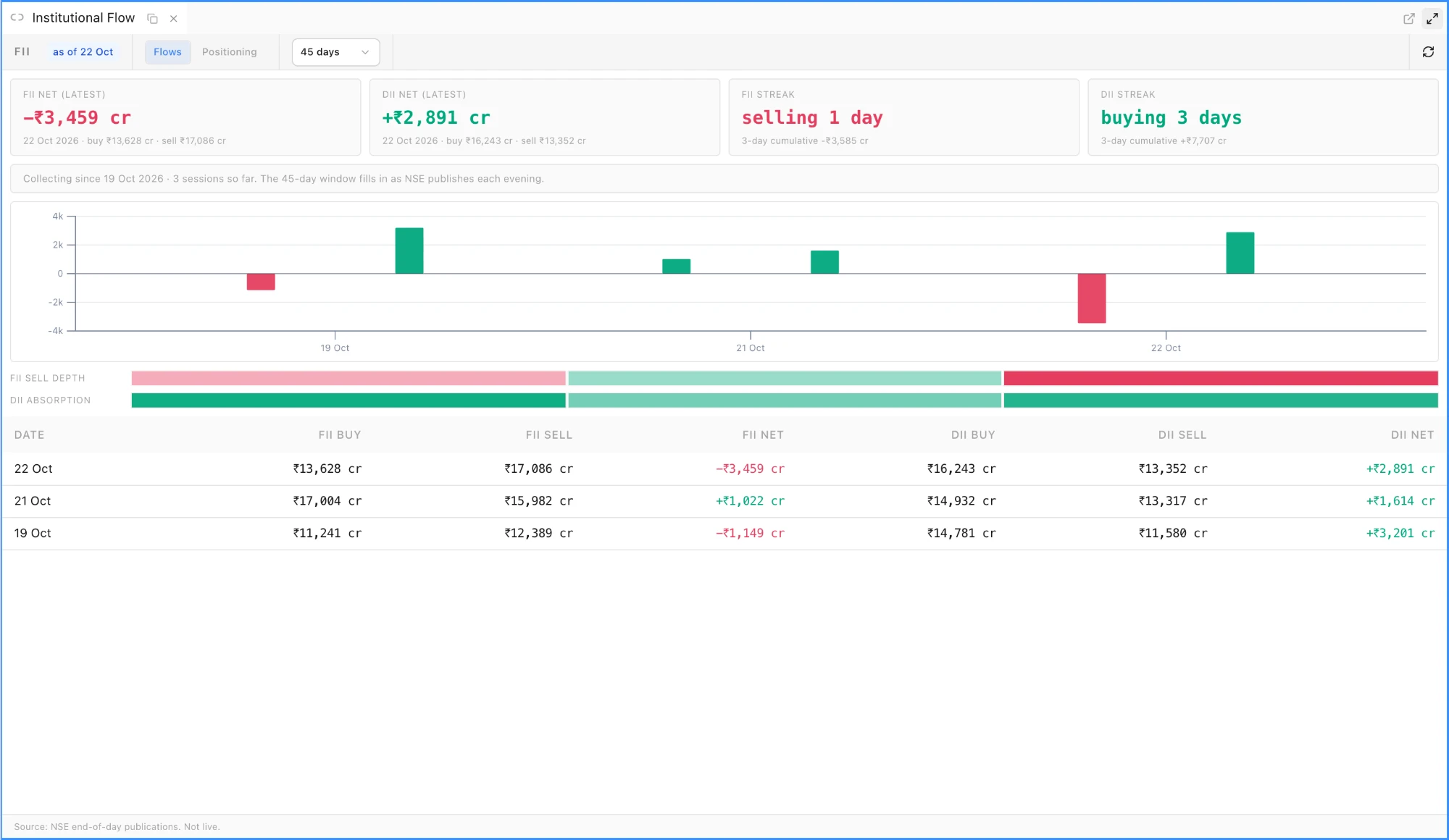
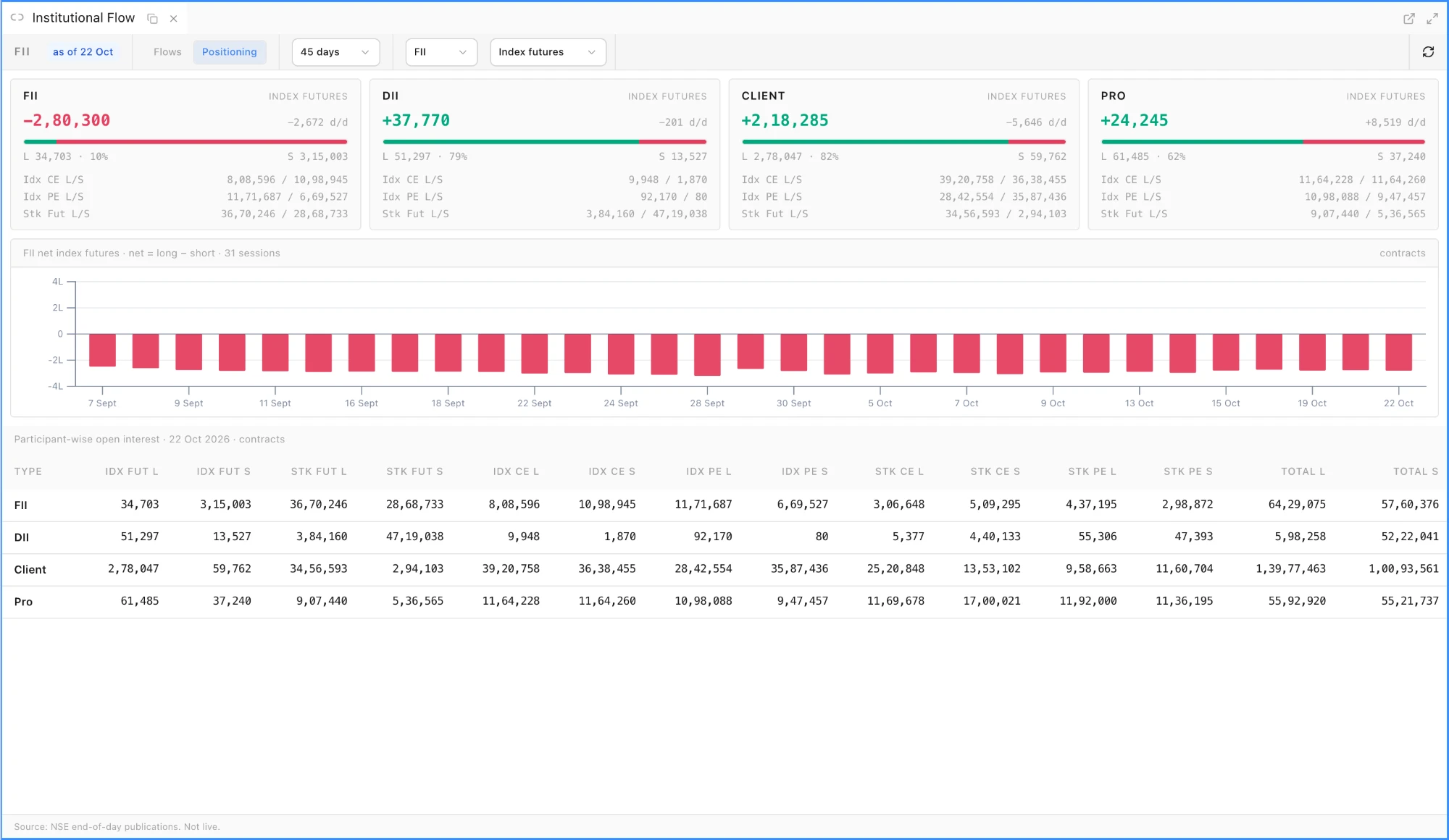
Institutional Flow panel, from Widgets, follows the NSE end-of-day institutional data. The Flows view shows the latest FII and DII net with their buy and sell totals, each side's buying or selling streak, the window total, a bar chart by day, two heat strips for FII selling depth and DII absorption, and a newest-first table. The Positioning view shows one card per client type (FII, DII, Client and Pro) with index futures long and short, the net and its change on the day, index call and put and stock futures positions, a net-position history chart for any client type and instrument group, and the raw participant-wise table. The window is 20, 45 or 90 days, and the view, window, client type and instrument are kept with the workspace. The data is public, so the panel is on every plan.
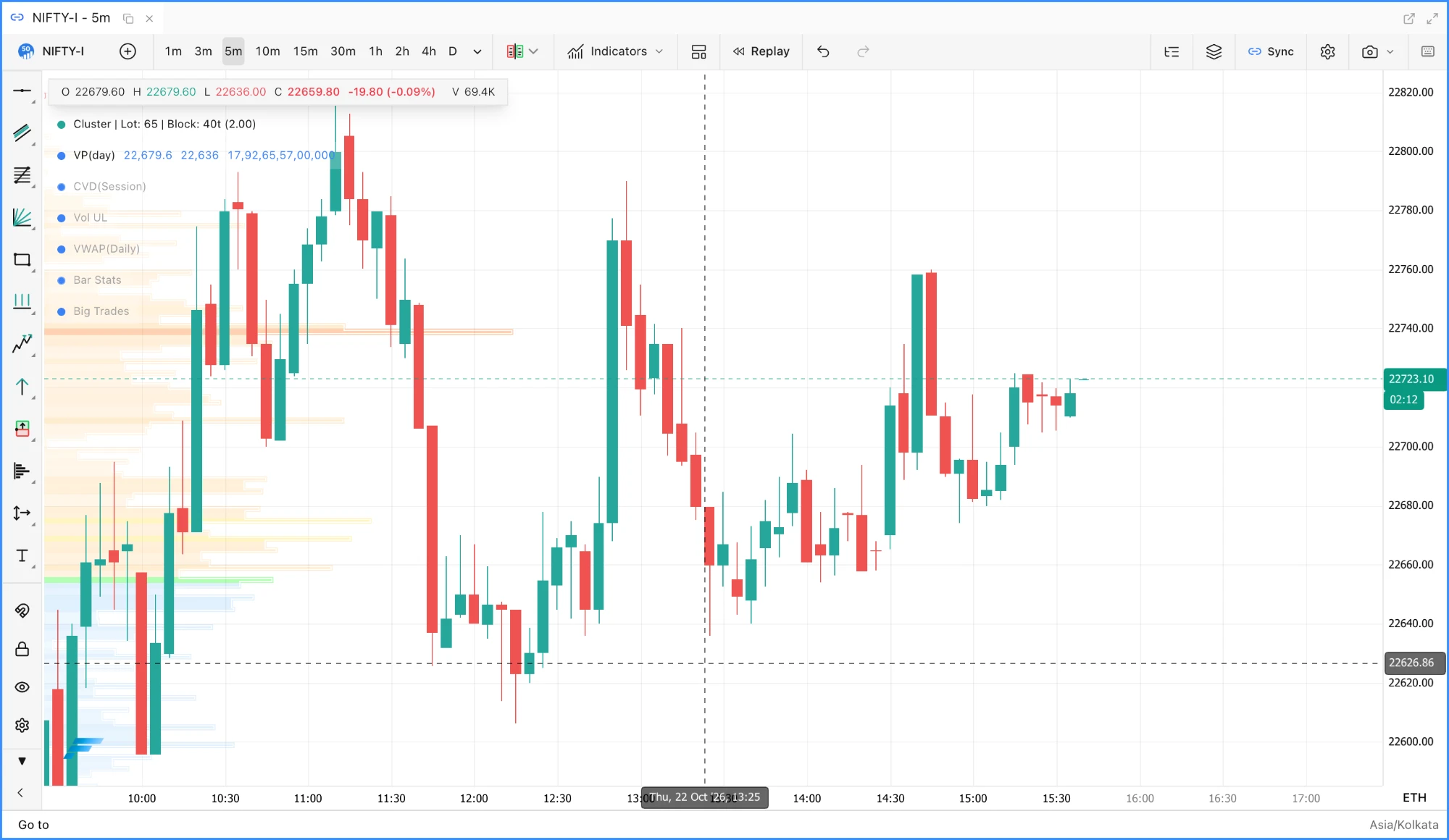
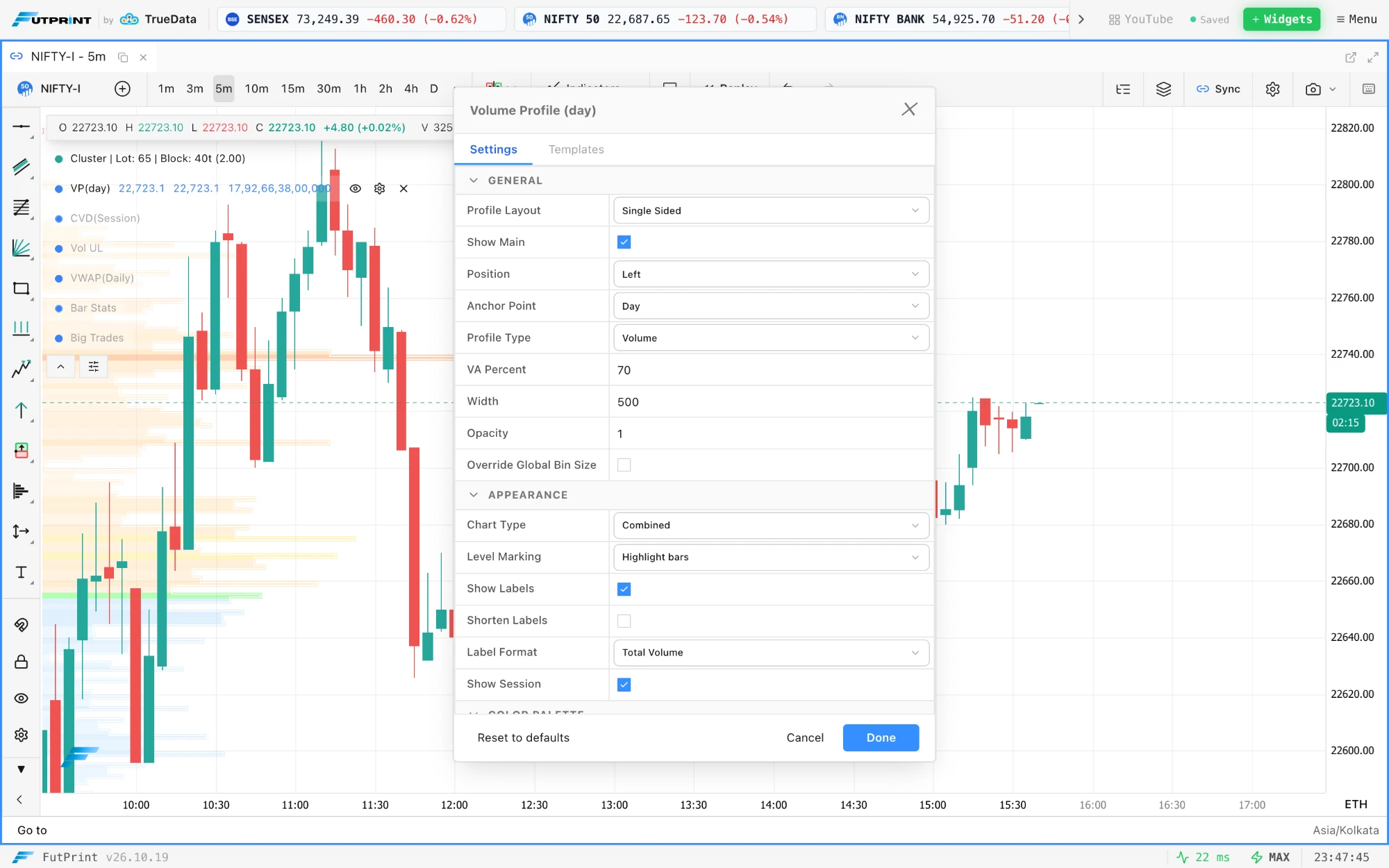
Volume profile styles. The Chart Type of a volume profile is now Solid, Hollow, Linear, Step or Combined: solid bars with a one-pixel gap between rows, the outline of each bar, a line or a stepped line through the bar ends, or solid bars with a stepped outline. The stepped profile, the fixed range volume profile drawing and the TPO chart's side histogram share the same styles. Volume Profile guide.
Level Marking. A volume profile can show its POC, value area, LVN and HVN levels as Lines across the chart, as Highlight bars that paint the bar at each level in that level's colour on the profile itself, or as both. Each level's own Show switch still decides whether it is marked, each side of a two sided profile has its own setting, and the composite profile has its own.
The composite profile has every option a period profile has. Besides Level Marking, the composite gains its own Chart Type, Opacity, Text Color and Highlight Conditions.
GEX Levels on NIFTY futures: walls, flip, max pain and the expected range for the nearest and monthly expiries, with the legend at the bottom right.The Institutional Flow panel's Flows view on the first three sessions it has collected.A day profile in the Combined style with Level Marking set to Highlight bars: the POC, value area, HVN and LVN rows take their colours on the profile and no lines cross the chart.The Positioning view: one card per client type, the net-position history and the participant-wise open interest table.
Improved
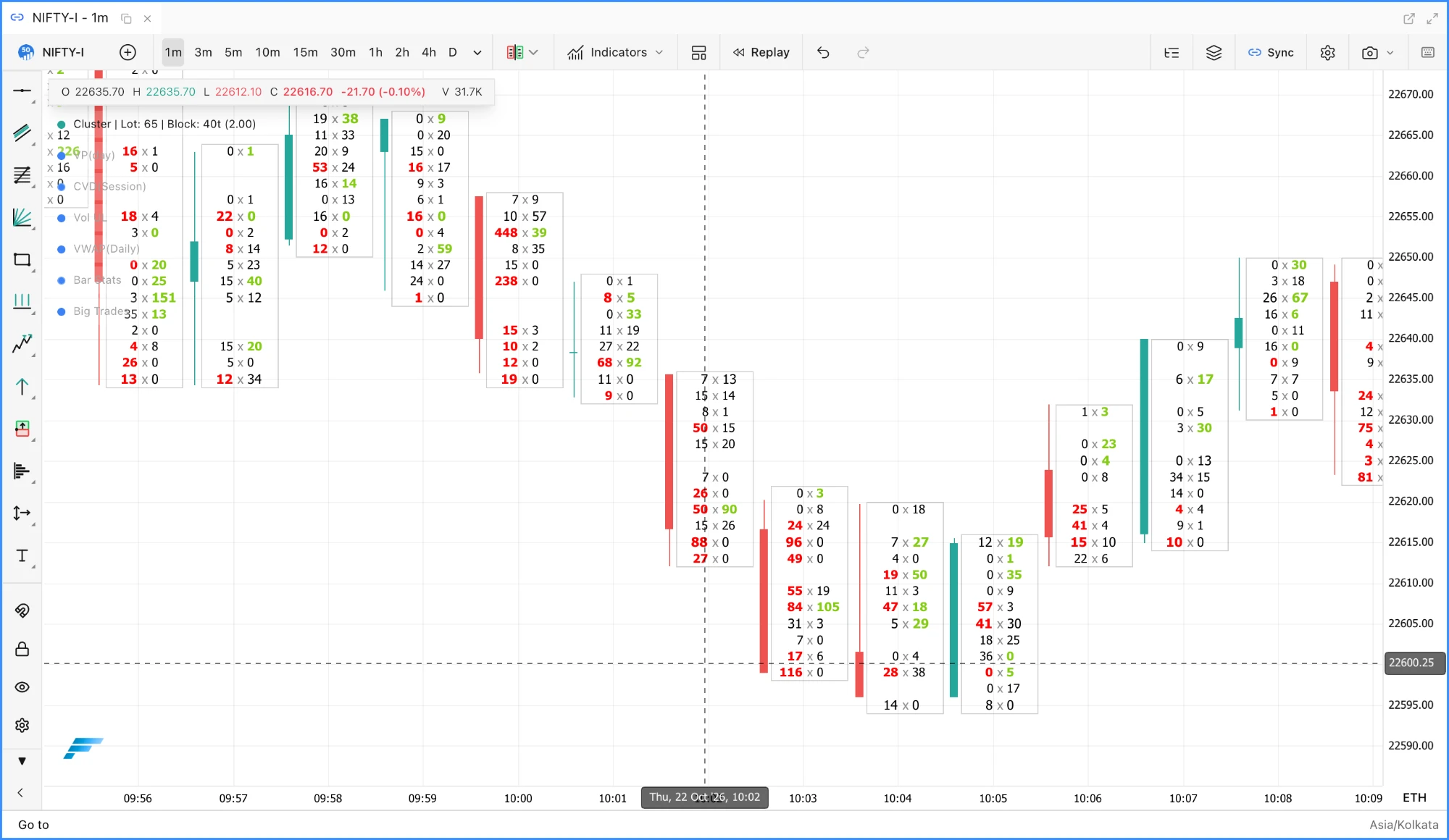
Cluster bid × ask text lines up. With Bid-Ask Volume or Bid-Ask Delta Volume as the volume type, the x between the two numbers sits on the centre line of every cell, the bid ends just left of it and the ask starts just right of it, so the column of x's is straight whatever the digit counts. The x is a mid grey that reads on both themes.
Slim clusters are framed. With the Slim candle style, each cluster's cells get a light one-pixel frame from its highest to its lowest price level, on each side of the candle's slot, so the cluster reads as one block beside its candle.
Settings preview as you change them. A change in the chart settings dialog, such as a cluster colour or volume type, now repaints the chart at once rather than on the next pan, click or Done.
Numbers stay readable on emphasised rows. On a Bid-Ask Delta Volume row painted with a strong gradient, the bid, the x and the ask each pick black or white against what is actually painted under them, so no number disappears into the bar.
GEX legend. The GEX Levels and Options GEX Heatmap summary box sits at the bottom right of the plot, a Legend position setting moves it to any corner, and Show legend and data status hides it entirely.
Bid × Ask cells with the x centred in every row and a light frame around each cluster's cells.The Chart Type and Level Marking settings, previewed on the chart behind the dialog as they are picked.
Fixed
MCX quantities are lots. The feed reports NSE and BSE quantities in units and MCX quantities in lots, but every lots derivation divided by the contract lot size, so a three-lot CRUDEOIL print read as 0.03 lots and Format Volume split MCX cluster volumes into fractions. Big Trades, Format Volume and the footprint lot size now treat MCX quantities as lots, and whole-lot labels drop the ".0".
GEX on MCX. The Options GEX Heatmap and GEX Levels asked for option chains on NSE and BSE only, so a CRUDEOIL chart reported no expiries. Both now read the MCX chain for an MCX chart, with the 23:30 cutoff an MCX expiry day keeps.
Profile rows at any zoom. Every volume profile bar is drawn over exactly the pixels its price span maps to. A minimum bar height in the composite and an offset in the period profile painted rows over their neighbours once the price axis was zoomed out, and the per-bar border is gone.

 by TrueData