Alerts on any indicator or script that fire with the terminal closed, the Options GEX Heatmap, and one-click updates
Alerts can now watch any study on your chart or an applied script, evaluated on the server so they fire while the terminal is closed, from one Create alert dialog. A new Options GEX Heatmap draws dealer gamma exposure by strike behind the candles and other improvements.
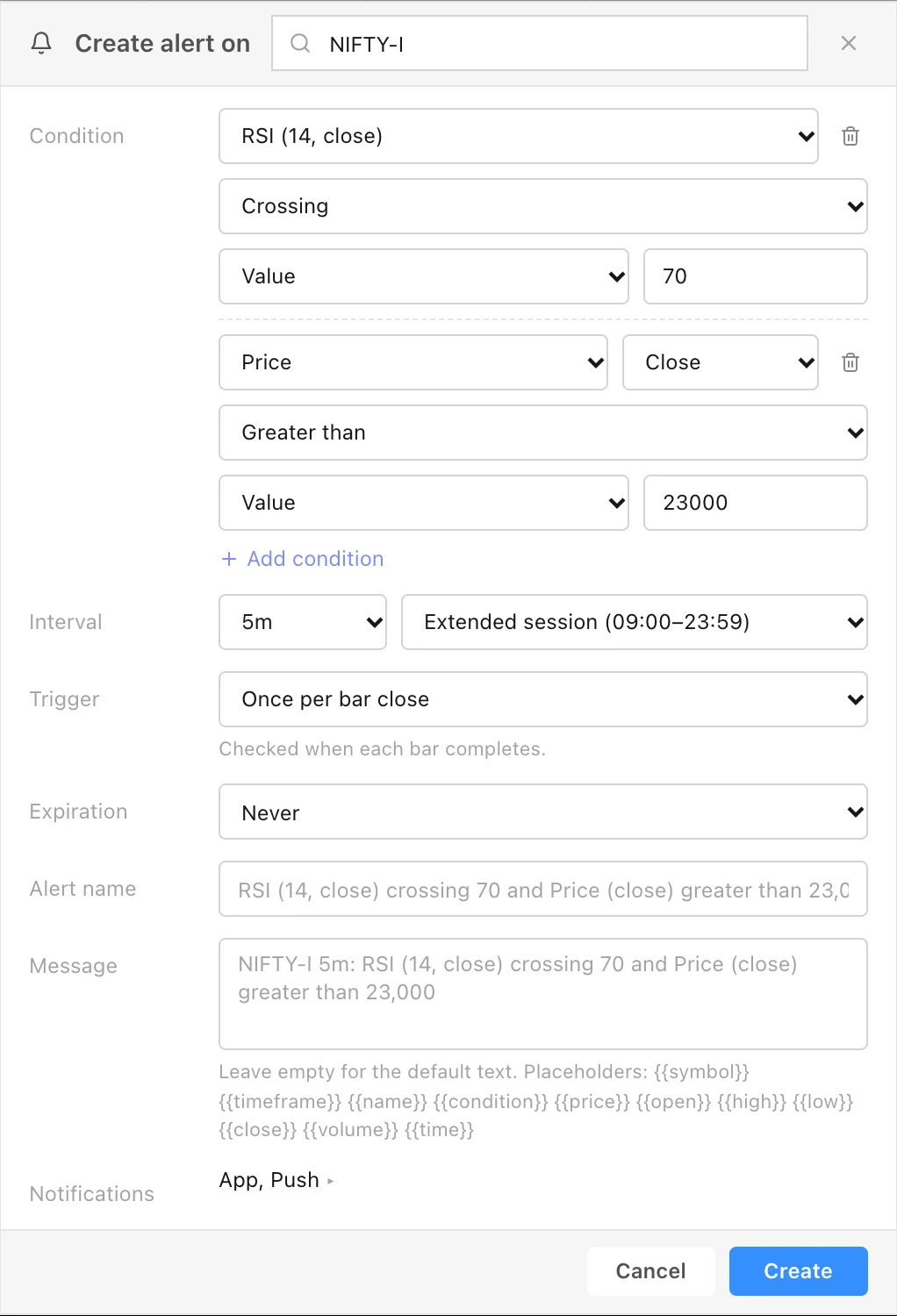
Alerts on indicators and scripts, evaluated on the server. One Create alert on … dialog builds the condition from left to right: a source (Price, Volume, or a study on this chart with its settings), its series or price field, the comparison (Crossing, Crossing up, Crossing down, and under More: Greater than, Less than, Entering, Exiting, Inside or Outside channel, Moving up or down by an amount or percentage within a number of bars), and what it is compared with: a value, a price field, another series of the same study, or another study on the chart. Add condition combines up to five. Set the Interval and session, the Trigger (Only once, Once per bar, Once per bar close, Once per minute), an Expiration, an Alert name, a Message with placeholders such as {{symbol}} and {{close}}, and the notification channels. The server evaluates these alerts, so they fire with the terminal closed. Open the dialog from the chart's right-click menu (Create Alert…), from Create alert in a study's settings, which preselects that study, or from the Alerts panel's +. See the Alerts guide.
Script alerts. Choose an applied script, then one of its alert() declarations or all of them. Alert messages are read at the bar that fired, and a positional mode on req.timeframe and req.symbol is honoured instead of silently running confirmed.
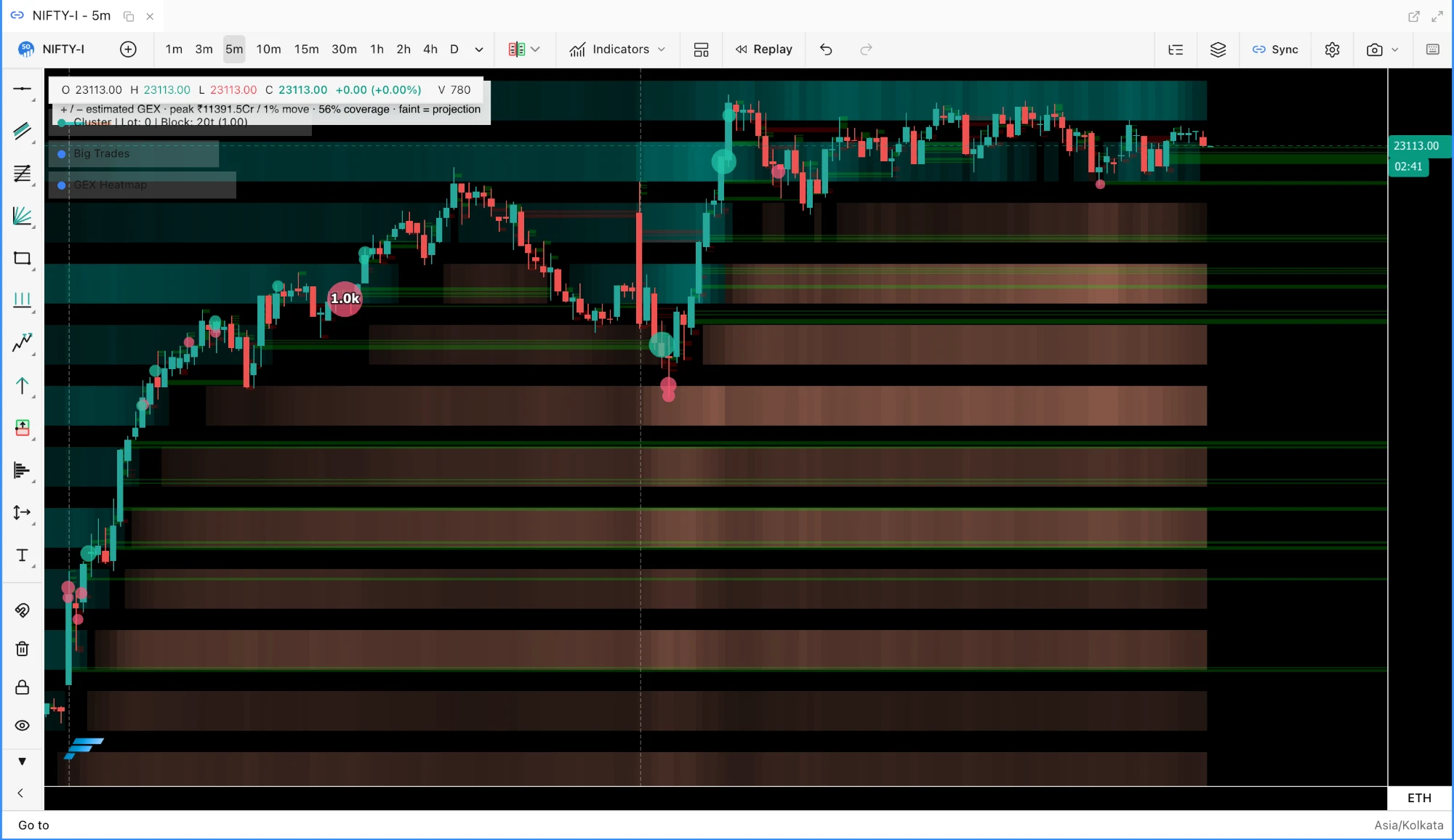
Options GEX Heatmap, under Indicators ▸ Volatility, draws signed, magnitude-weighted bands of dealer gamma exposure by strike behind the price candles, built from option close and open-interest history for the chart's underlying, with a faint extension marking the latest column's projection. Hover a band for the strike, expiry, candle time, the call and put contributions and chain coverage. Exposure refreshes once the chart advances to a new candle, and raw option bars are kept on this device for 16 days so a reopened chart does not download them again. See the Options GEX Heatmap guide.
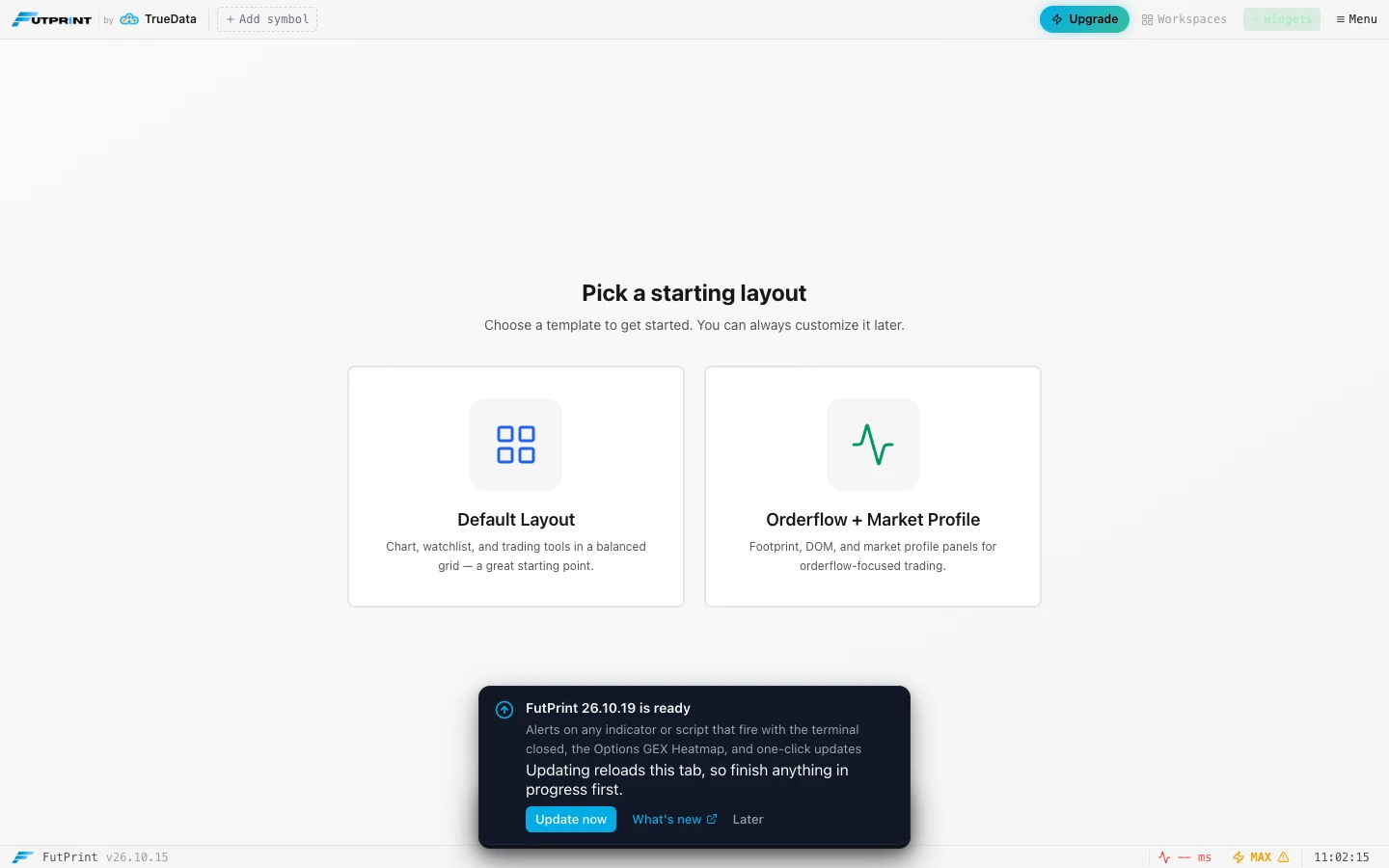
Release notice in the terminal. An open terminal learns within five minutes that a newer build is live and shows "FutPrint 26.10.19 is ready" at the bottom of the workspace, with the release title, Update now, What's new and Later. Update now switches in place: the tab reloads under the new build with your workspace intact, and there is no need to clear site data. Later leaves an "Update to v…" pill in the footer, the profile menu gains a What's new row, and after the switch a toast says which version you are on. The desktop app shows the notice with a link to the notes, since its files ship with the installer.
The Create alert dialog on a NIFTY futures chart: a source, its series, the comparison and the operand per condition, with up to five conditions, then the interval, trigger, expiration, name and message.Options GEX Heatmap on NIFTY futures: positive and negative dealer gamma exposure by strike, per candle, with the faint projection of the latest column at the right edge.The release notice an open terminal shows when a newer build is live; Update now switches the tab in place.
Improved
Alerts panel shows each alert's kind, rule, last message, engine errors and an Expired state, and the trigger dialog shows the engine's message. Chart lines are drawn for price alerts only, and a plain "Price crossing up or down a value" stays a tick-level price alert with its line.
Fixed
A deploy no longer breaks open tabs. The old update path replaced the cache under open tabs, so the page failed on its next panel load until site data was cleared. New builds now wait for the release notice, and accepting it reloads every open FutPrint tab under the new build.
Alert dialog: the alert socket subscription is released when the dialog closes, editing an alert keeps its in-app notification, and the trigger frequency can be changed.

 by TrueData