Straddle Charts
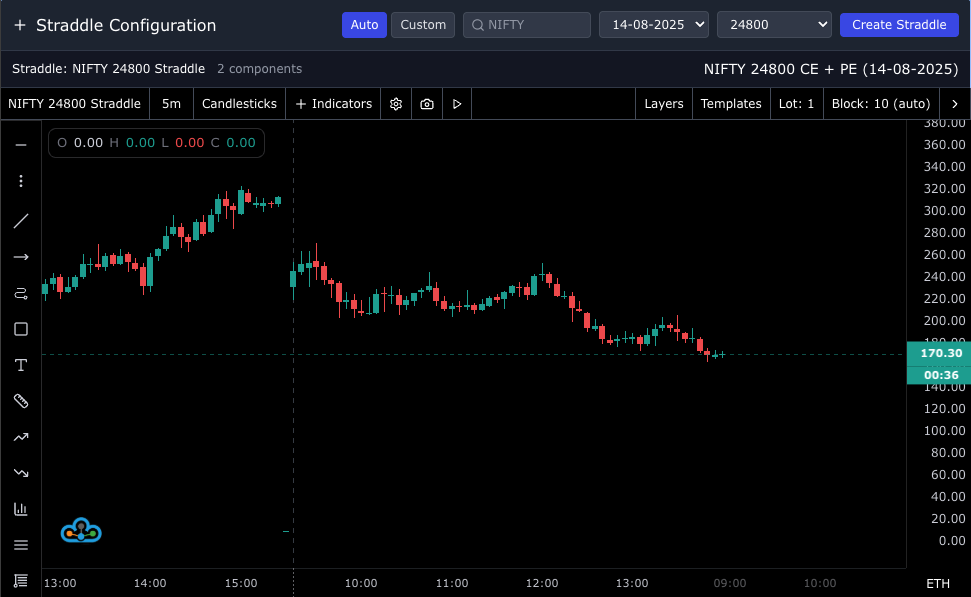
The Straddle Chart Panel lets you construct and visualize option straddles (and custom multi-leg combinations). In Auto mode, select an underlying, expiry, and strike to automatically combine the CE and PE. In Custom mode, add any symbols, set weights, and add/subtract legs to build bespoke strategies.
Use Straddle Charts alongside other analytics for complete context
1. Header: Straddle Configuration
- Mode toggle: Switch between Auto and Custom.
- Auto mode controls:
- Symbol search: Search underlyings (3+ characters) and select one.
- Expiry selector: Pick from fetched expiries for the underlying.
- Strike selector: Choose the strike to combine CE + PE.
- Create Straddle: Generates the straddle configuration and loads the chart.
- Custom mode controls:
- Manual symbol search: Add any tradable symbols (options or otherwise).
- Leg controls per symbol: Toggle operation (Add/Subtract), set weight, and remove legs.
- Create Combination: Builds a custom multi-leg chart from your list.
2. Auto Mode Workflow
- Pick an underlying via search. Expiries and strikes are fetched automatically.
- Select an expiry and a strike. You can then click Create Straddle.
- The system locates both CE and PE at the selected strike and merges them into a single straddle.
3. Custom Mode Workflow
- Search and add legs individually. Each leg shows:
- Symbol, underlying, exchange, option type, and strike when available
- An operation control to add or subtract the leg
- A weight input to scale its contribution
- Click Create Combination to load the composed series on the chart.
4. Selected Straddle Info
- When a straddle or combination is active, an info bar shows:
- Name and short description
- Component count
5. Chart Behavior
- The panel renders a consolidated chart of your straddle or custom legs.
- The panel title updates with the current timeframe.
- Theme follows the workspace theme; switching themes updates chart styling.
- Trading hours mode is supported (ETH/RTH) and can be toggled in the chart controls.
Note: Timeframe and certain chart controls are handled within the chart component.
Tips
- Fast setup with Option Chain: Identify ATM strikes in the Option Chain, then switch here to build the straddle.
- Experiment with weights: Use Custom mode to simulate ratio spreads or synthetic positions.
- Use alongside Watchlist and Time & Sales for discovery and microstructure context.
Related: Option Chain • Watchlist • Time & Sales • Chart Overview