First Start — Getting Started with the Platform
Upon your first access to our web-based trading platform, the system will automatically launch with a default workspace and a preconfigured market data connection.
This ensures you can immediately explore key features and evaluate platform functionality without performing any initial setup.
What You’ll See on Your First Session
When you open the platform for the first time in your browser, several components will be automatically created and configured to give you an optimal starting point:
-
Workspace
A pre-built workspace containing an organized layout of panels, designed for market monitoring. -
Active Broker Market Data Connection
Upstox for live and historical data feeds.
Default Workspace Layout
Default Workspace with NIFTY 50 index chart and a watchlist
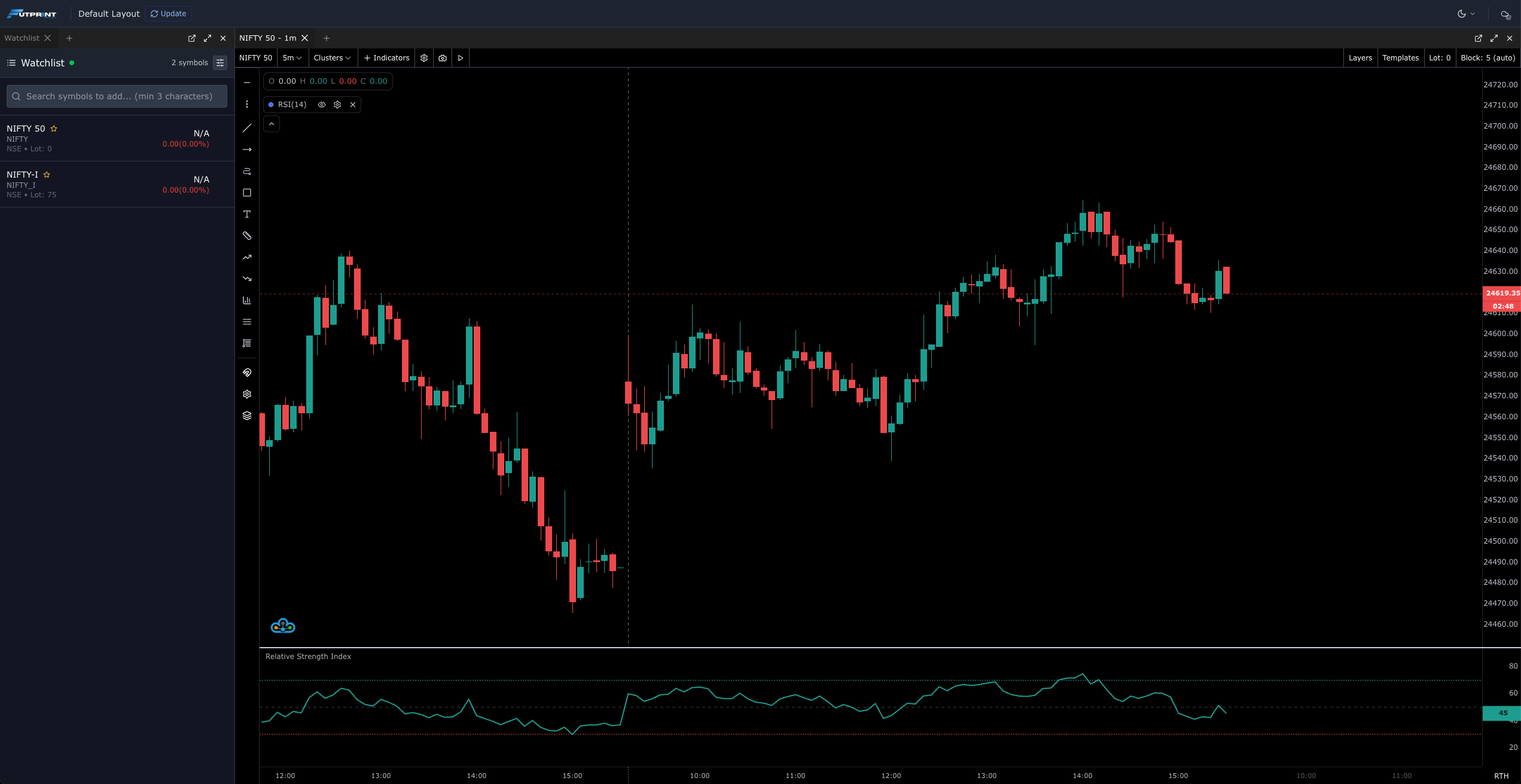
Default Workspace with NIFTY 50 index chart and a watchlist
Next Steps — Customizing Your Experience
From this initial setup, you are free to:
- Rearrange, add, or remove panels to suit your trading style
- Save multiple workspace configurations for different strategies
Platform Access & Licensing
The platform is accessible directly through your web browser, without any downloads or installations.
By default, you can use the Free Version of the platform, which provides a set of core features and data until previous EOD, suitable for basic market analysis.
For real time tick data access, advanced analytics, premium indicators, and professional trading tools, a paid subscription is required.
You can review the full feature breakdown in our License Comparison Table.
🎥 Getting Started Video
Watch our step-by-step walkthrough here: First Start Tutorial on YouTube